Projector Stands and Tripods
A projector stand positions the device at the right height facing the screen, without drilling or ceiling mounting. An adjustable floor stand, folding tripod or stand designed for a specific model: the choice depends on the projector’s weight, its mounting point (usually a 1/4-inch thread) and the space available behind the sofa or beside the bed. Learn more
Why mount your projector on a stand
Placed on a coffee table, a projector almost always needs to be tilted upwards to reach the screen. The image then takes on a trapezoidal shape, wider at the top than at the bottom. It needs to be straightened using keystone correction, a digital process that recalculates the image and reduces its resolution. A floor stand tackles the problem at its source: the lens sits at the required height, the device stays level and the image lands squarely on the screen. A stand is also the solution when you rent your home, when the ceiling is difficult to drill into or when you prefer to put the projector away after viewing rather than leave it permanently suspended.
Floor stand, tripod or platform stand
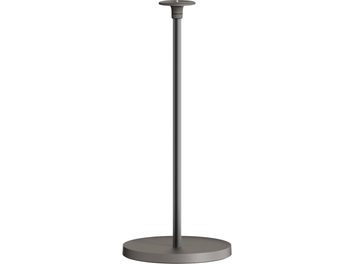
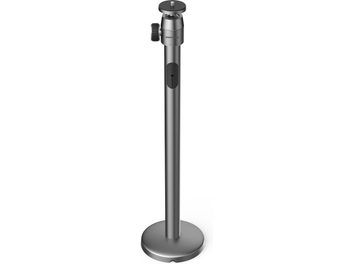
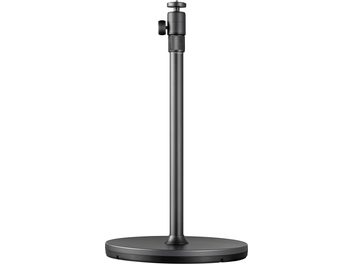
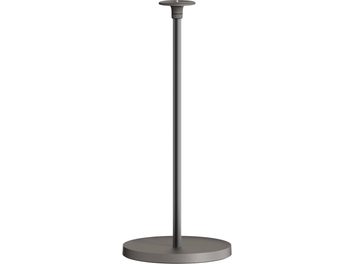
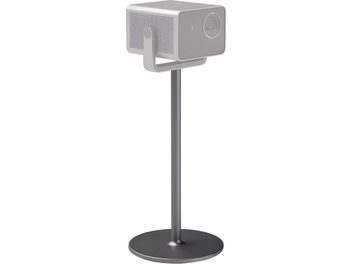
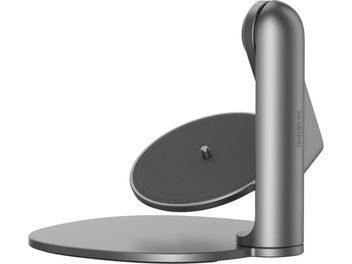
A column floor stand is the most common type in a living room. A weighted circular base, often made of metal, supports a telescopic tube topped with a ball head onto which the projector screws. The weight concentrated at floor level lowers the centre of gravity and makes the whole assembly difficult to knock over, an important consideration when children or pets move around the room.
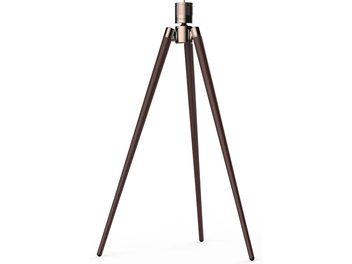
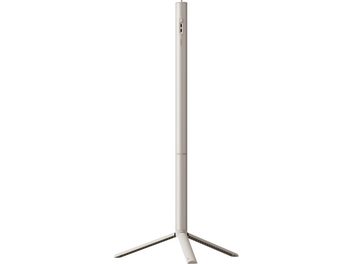
A tripod rests on three spread-out legs that fold up for transport. Lightweight, it slips into a bag and accompanies a compact projector from one room to another, into the garden or on holiday. Its stability depends on how far the legs are spread and how level the ground is: on a terrace or lawn, it is best to check that it is upright before screwing the device into place.
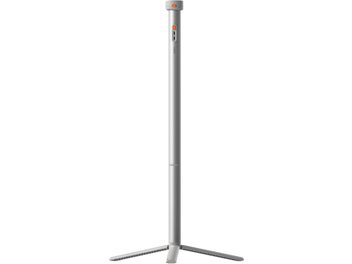
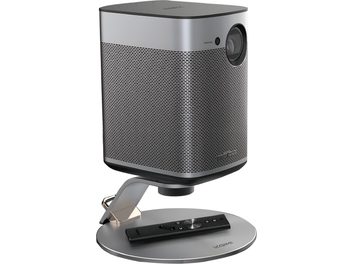
Several projector manufacturers also offer a stand designed for one or more of their models. The mount fits the chassis, and the finish matches the projector. Power is sometimes routed through the column, with a single cable running from the base. The trade-off is limited, or even no, compatibility with devices from other brands.
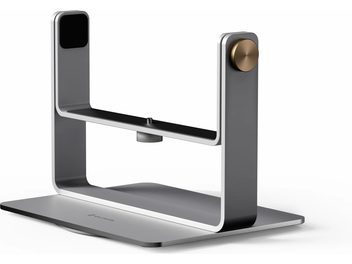
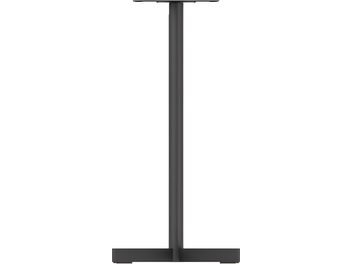
For heavy projectors or those without a threaded mounting point, platform stands remain the simplest solution. The device sits on a height-adjustable shelf, sometimes mounted on castors, and some versions add a second shelf for a laptop or player. They are found in meeting rooms as well as temporary home cinema setups.
Mounting and maximum stand load
Most portable projectors and compact models have a 1/4-inch threaded socket underneath their chassis, the same as cameras. This is the standard for universal stands: a projector with one screws onto the vast majority of stands on the market. Larger living room models do not always have one. Instead, they attach to a mounting plate with several screws or sit on a platform. A glance underneath the device before buying saves a return.
The stand’s stated maximum load must exceed the projector’s weight, with some headroom when it is tilted on its ball head and the load is off-centre. A 4 kg device on a head rated for 6 kg is well within limits. The same device on a small camera tripod ball head often ends up tilting forwards over successive viewing sessions.
Adjustable height, rotation and tilt
The height is adjusted using a telescopic tube locked by a collar or knob. Adjustment ranges run from around fifty centimetres to over 1.50 m, depending on the model. To determine which height to choose, measure the height of your screen or the target area on the wall. Depending on its optical design, a projector projects either in line with its lens or with an upward offset: the manual indicates where to position the lens relative to the bottom or centre of the image. Behind a sofa, the stand must also extend above the backrest so that the beam passes over viewers’ heads.
The ball head is then used for fine adjustments. Horizontal rotation through 360° directs the image towards another wall without moving the base. Vertical tilt ranges from a few degrees on living room stands to 90° on some models: it compensates for a height difference or sends the image onto the ceiling for watching a film while lying down. However, every degree of tilt will need to be compensated for using keystone correction. The less the projector is tilted, the sharper the image remains.
Projection distance and lens shift
The stand determines the height; the distance from the screen determines the image size. Every projector has a throw ratio: with a ratio of 1.5:1, the lens needs to be positioned 1.5 m from the screen to produce an image 1 m wide, and 3 m away for a width of 2 m. Since a floor stand is easy to move, you can find the right diagonal size by moving the device forwards or backwards, rather than shrinking the image with digital zoom.
Lens shift, or optical lens displacement, offers greater freedom. It moves the image up, down or sideways without distorting it or reducing quality. The stand can then be a little lower than ideal or slightly off-centre relative to the screen. Without lens shift, physically aligning the stand with the screen remains the only way to obtain a perfectly rectangular image. Ultra-short-throw projectors are an exception: positioned a few centimetres from the wall, they sit at the foot of the screen rather than on top of a column.
Stability, vibrations and cable routing
A shaky image is quickly noticeable on a large screen. An imperceptible oscillation at the lens becomes visible movement on a screen 2 or 3 metres wide. The weight of the base and the rigidity of the tube determine the stability of the assembly. Silicone or foam pads underneath dampen vibrations transmitted through the floor, from footsteps in the room or a subwoofer installed nearby. They also protect wooden flooring from scratches.
Then there are the power and HDMI cables running from the head of the stand down to the floor. A clip or sleeve along the column keeps them in place. Catching a foot on a cable as you walk past will then no longer tip the projector over, and the setup stays tidier in the living room. Stands with an integrated power supply go further by routing power through the stand’s structure itself.
Projecting in several rooms or outdoors
Mounted on a stand, the projector becomes mobile. It can be used in the living room in the evening, then in a bedroom or the garden at the weekend, facing a freestanding projection screen or a stretched sheet. For these portable uses, a lightweight folding tripod, stored in its carrying case, is effortless to transport. For a setup that stays in place most of the time, a weighted column with a finish that matches the room requires fewer adjustments for each viewing session and is more discreet.
Frequently asked questions about projector stands
How do I know whether a stand is compatible with my projector?
Turn the device over. If it has a 1/4-inch threaded socket underneath the chassis, it is compatible with universal stands. Then compare its weight with the stand’s maximum load. If there is no threaded mounting point, choose a stand designed for your model or a platform stand.
What height should I choose for a projector stand?
It depends on the screen height, the projector’s optics and the furniture placed in front of it. Measure the screen’s position and consult the device’s manual to find out where to position the lens. Then choose a stand whose adjustment range covers that height. If the stand is behind the sofa, add the height of the backrest.
Can a camera tripod be used as a projector stand?
For a compact, lightweight projector, yes, since the screw thread is the same. However, the ball head and legs must support the device’s weight without flexing. With living room projectors, entry-level camera tripods rarely meet this requirement.
Is a floor stand stable enough around children or pets?
A column with a weighted base, with its weight concentrated at floor level, withstands knocks much better than a lightweight tripod. A cable secured along the stand also reduces the risk of someone accidentally catching it and pulling the projector over.
I can rerun the Thot scoring as soon as the analysis is available, then adjust the vocabulary if any terms are missing.