Audiophile Ethernet switches
An audiophile Ethernet switch distributes the connection from the internet router to the devices in a hi-fi system (network player, music server or network-connected DAC), while limiting the electrical noise that a computer network switch transmits along with the data. Its carefully designed power supply and stable clock reduce interference, and its fiber optic ports electrically isolate digital music playback from the home network. Learn more
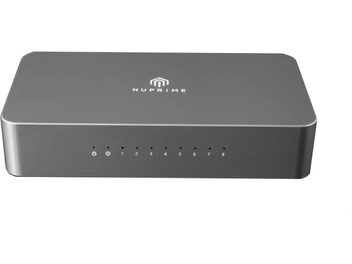
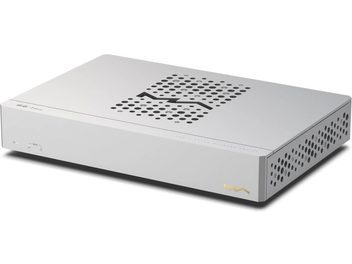
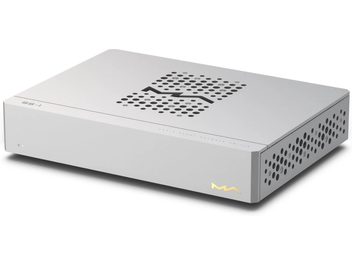
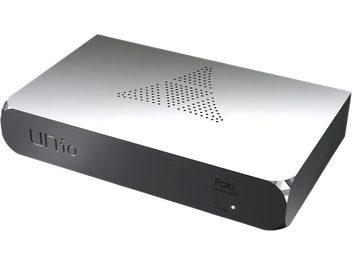
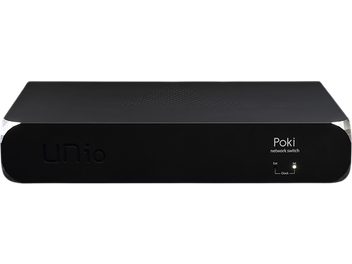
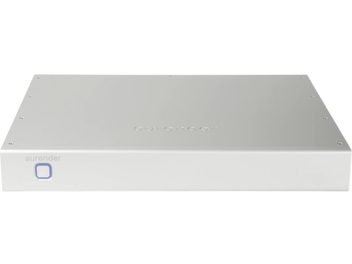
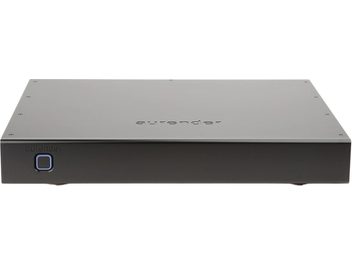
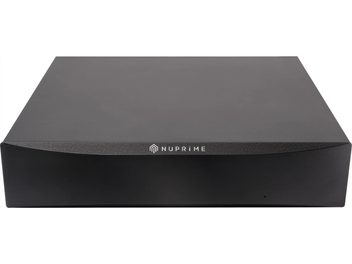
How an audiophile network switch works
In most homes, the internet router is located far from the hi-fi rack and has only a few ports. The switch is the power strip of Ethernet cabling: a single cable comes from the router, and the switch connects several devices, such as the network player, NAS (network-attached hard drive that stores the music library), audio server, television or console.
Data transmission itself is not at risk. The Ethernet protocol checks each packet and requests any that arrive corrupted again: there is no signal loss, and a music file reaches the audio source identical to the original, regardless of the switch it passes through. An audiophile network switch acts elsewhere, on the high-frequency stray currents that accompany audio traffic in the copper cable. This interference travels up to the streamer’s circuits, then to its conversion stage, where the music becomes an analog signal again.
Interference from a computer network switch
A desktop switch prioritizes throughput and the lowest possible price. Its switching power supply chops the current at high frequency to remain small and lightweight, and some of this switching noise ends up on the ground of the connected devices. Its quartz oscillator, which times packet traffic, is a standard component sensitive to temperature changes. Its activity lights flash constantly and add their share of interference.
On a computer network, none of these shortcomings has any consequences. Connected just a few centimeters from a playback device, the same unit becomes a source of interference positioned directly upstream of digital-to-analog conversion. An audiophile hi-fi switch performs the same function without changing anything about the Ethernet standard, and carefully addresses each technical aspect that generates or transmits this interference.
Low-noise power supply and reduced background noise
The power supply is the first area addressed. A linear power supply lowers the mains voltage through a transformer, then rectifies, filters and regulates it without switching. Heavier, bulkier and less efficient than a switching power supply, it leaves far less residual noise. High-end models separate several power supply stages, one for the oscillator and the others for switching and connectors, so that one circuit does not contaminate its neighbor.
Some compact audiophile switches receive power through an external power socket. They work with the supplied power adapter and can later accommodate an optional separate linear power supply, allowing the system to be upgraded in stages.
→ View separate power supplies
Precision clock and jitter reduction
Jitter refers to small irregularities in the timing of a digital signal. To reduce it, an audiophile network switch replaces the standard oscillator with a more stable time reference: a TCXO, a temperature-compensated quartz oscillator, or an OCXO, a quartz oscillator kept at a constant temperature in a tiny oven. Some models feature a 10 MHz external clock input on a BNC connector, synchronizing them with a master clock shared with other devices.
The expected effect requires some clarification. The streamer stores the received data in a buffer and reads it back at the rate of its own oscillator: the switch’s oscillator does not control conversion. Its benefit concerns the switch’s own circuits, where stable timing makes switching noise lower and more consistent, and therefore less likely to travel back to the source. An OCXO needs time to warm up before reaching its rated stability, and an audiophile switch is left on continuously.
Fiber optics, SFP ports and galvanic isolation
Two devices connected by a copper Ethernet cable share an electrical path, and interference travels along it. Galvanic isolation breaks this path: current can no longer flow from one device to the other, which also eliminates ground loops that cause hum. RJ45 ports have this isolation, provided by small transformers, but it allows some high frequencies through. Fiber optics go further, since they carry light rather than an electrical current.
Audiophile switches accommodate fiber through SFP ports, slots into which an optical module is inserted. The most common setup connects the router to the switch through an optical link, with a converter at the other end, then the switch to the streamer through a short RJ45 cable: the hi-fi system is then electrically isolated from the rest of the home. Connecting the source itself via fiber requires it to have an SFP connector. The choice between cables and fiber therefore depends on the devices already in place. Optical modules generate heat and consume power, and their quality is no minor detail.
Throughput: 100 Mb/s, Gigabit or more
Digital music requires little bandwidth. A 24-bit/192 kHz stereo stream uses around 9 Mb/s, and DSD512, the most demanding format, stays below 50 Mb/s. A 100 Mb/s link therefore covers all resolutions. Some designers deliberately choose a switching chip limited to 100 Mb/s, which is slower and less noisy. Others opt for Gigabit, or even 2.5 or 10 Gb/s over fiber, on the basis that fast circuits operate with more headroom.
The right choice depends on the other connected devices. A NAS that backs up the home’s computers, a television playing 4K video or a server copying albums in bulk all benefit from Gigabit. A switch serving only the hi-fi system does not need any higher throughput.
Number of ports and position in the audio network
Before choosing, it is best to count the wired devices to be connected near the system (streamer, music server, NAS, television, TV box, console), then allow one spare port. The audiophile switch is positioned as the final link, as close as possible to the source: an ordinary switch placed between the two would reintroduce the interference removed upstream. Some models reserve certain ports for the most sensitive devices, with enhanced filtering or additional isolation, while the others accommodate the router and less critical equipment.
Most audiophile switches are unmanaged: no configuration is required, just plug them in and they work. They do not replace the internet router, which remains responsible for internet access, Wi-Fi and address assignment. The streamer must, however, be connected by cable, since a device using Wi-Fi does not benefit from any switch.
Ethernet cabling, mains power and system optimization
The switch works together with the equipment around it. The RJ45 cable connecting it to the source benefits from being short and properly shielded, and the mains outlet supplying it matters just as much: a quiet switch plugged into a power strip shared with switching power supplies loses some of its benefit. It is best to keep it away from noisy power supplies and high-power amplifiers, and place it on a stable surface: these installation conditions affect the result. A network isolator, a small accessory inserted into a single cable connection, is the simplest solution when only one device needs protection.
The audible improvement depends on the streamer. A device whose digital and analog stages are already well separated can itself filter out much of the interference, and the switch’s contribution remains subtle. In a revealing system, playback generally gains a quieter background against which low-level details stand out more clearly, and often more natural timbres. These differences remain small compared with those attributable to speakers, amplification or room acoustics: the audiophile Ethernet switch is an optimization component, introduced once these elements are up to standard, to transmit digital music under the best possible conditions.