USB Isolators and Filters for DACs
The USB cable connecting a computer or network player to your DAC carries music, but also the source’s 5 V power supply and electrical noise. USB audio isolators and filters are inserted into this connection to break ground loops, clean up the power supply and eliminate the hiss, hum or crackling that interfere with listening. Learn more
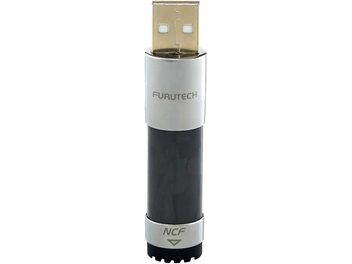
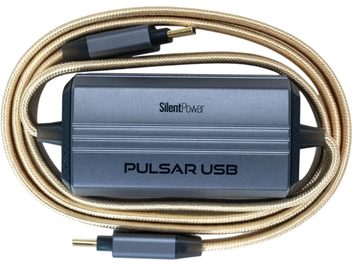
Where noise on a USB connection comes from
A computer is an electrically noisy environment. Its switching power supply, processor, graphics card and fans generate high-frequency disturbances grouped under the acronyms EMI and RFI (electromagnetic and radio-frequency interference). The USB port is not immune: the 5 V power line comes directly from the motherboard, and the computer’s ground is connected to the DAC’s ground through the cable’s shielding and ground conductor.
The music data itself arrives intact. A file played over USB reaches the converter bit for bit, and the problem does not stem from a transmission error. It comes from stray current travelling alongside the data and eventually reaching the DAC’s analog stage, the most sensitive part of the chain, which produces the signal you hear.
The symptoms are easy to recognize: constant hiss through headphones, crackling that changes texture when you move the mouse or a hard drive is active, a low hum that disappears as soon as you unplug the USB cable. With high-efficiency speakers or sensitive headphones, these noises quickly become bothersome.
The ground loop, the cause of 50 Hz hum
A low, constant hum almost always has the same origin. When the computer and amplifier are both grounded through their mains plugs, and are also connected to each other through the USB cable’s ground, they form a closed loop. A small current then flows around this loop at the mains frequency, 50 Hz in Europe, and is superimposed on the audio signal. This often happens with a desktop PC plugged into a different power strip from the hi-fi system.
Changing the cable or socket sometimes helps, but the lasting solution is to interrupt electrical continuity between the source and the DAC while still allowing data through.
Galvanic isolation, an electrical barrier between source and DAC
This is the principle behind a USB isolator. Galvanic isolation removes any direct conductor between the device’s input and output: data crosses the barrier through magnetic, capacitive or optical coupling, without any current being able to pass from one side to the other. Power is handled in the same way, through an isolated converter or the isolator’s own power supply.
Once the barrier is in place, the ground loop is broken and the noise generated by the computer stays on the computer side. Specifications often list an isolation voltage expressed in kilovolts. This value describes the barrier’s strength against a potential difference, useful safety information, but it says nothing about sound quality.
Filters, regenerators and separate power supplies
Not all accessories in this category work in the same way, and their effectiveness depends on the issue to be corrected.
A USB filter without isolation acts on the 5 V power line and high-frequency interference using capacitors, inductors and ferrites. It reduces hiss and crackling caused by the source’s power supply without breaking a ground loop. This is the simplest solution when the noise does not come from grounding.
A regenerator reconstructs the USB signal using its own clock, a built-in precision oscillator. It restores clean signal edges and reduces jitter, meaning small timing irregularities in transmission. Most modern USB DACs operate in asynchronous mode and control conversion with their own clock, so a regenerator’s contribution mainly concerns the electrical cleanliness of the signal received by the DAC. Many models combine regeneration and galvanic isolation.
A separate power supply replaces the computer’s noisy 5 V with a cleaner source: an external linear power supply, a low-noise regulated supply or an internal battery, which cuts all ties to the mains during listening. Some devices also offer a setting to remove the 5 V entirely when the DAC has its own power supply, a grounding terminal to manage the system’s ground, or an active noise reduction circuit that generates an inverted signal to cancel interference.
USB speed and connections: points to check
Data rate compatibility is the most commonly overlooked criterion. Some basic isolators only work with USB Full Speed, at 12 Mbit/s. This rate limits playback to resolutions of around 24 bits and 96 kHz, excludes DSD and high sampling rates, and many DACs configured for USB Audio Class 2 are simply not recognized. To enjoy all the resolutions supported by your DAC, the isolator must support USB High Speed, at 480 Mbit/s, or even USB 3.0 for some newer interfaces.
Connections matter too: USB-A, USB-B or USB-C depending on the ports on the source and DAC, sometimes with an adapter or short cable included. If your DAC or headphone amplifier is powered by the USB bus, check the current available at the isolator’s output, expressed in milliamps: a power-hungry device powered by an undersized isolator may drop out or operate unstably.
Diagnose before buying, then position the isolator correctly
A few simple tests can guide your choice. If the noise disappears when a laptop runs on battery power with its charger unplugged, the source’s mains power supply is to blame, and a galvanic isolator or separate power supply will address the problem. If a low hum stops as soon as you unplug the USB cable, it is a ground loop, which requires galvanic isolation. Crackling linked to computer activity without background hum is more likely to call for filtering.
The isolator goes between the source and the DAC, as close to the DAC as possible, with a short output cable to limit interference picked up after processing. The improvement varies depending on the system: a desktop PC installed next to the hi-fi system benefits noticeably, an already quiet dedicated network player a little less, and a high-end DAC with its own built-in USB isolation leaves little room for improvement. It is better to know this before investing.
Audible effects and limitations
When hum or crackling disappears, the difference is unmistakable. In an already clean system, the effects are subtler: a blacker background, note decays and reverberations that fade more naturally, less residual hiss through headphones. An isolator does not transform a DAC; it allows it to work under better electrical conditions.