Advance Paris A-NTC
Complementary products
Specifications and features


Overview
Adding Qobuz, TIDAL or Spotify to a hi-fi system does not mean putting another device on the cabinet. This network player from Advance Paris fits in the palm of your hand. It connects via optical cable to any amplifier or DAC with a suitable input, and it also slots into the back of the brand’s NOVA integrated amplifiers. Your phone acts as the remote control, while the music streams directly over the network.
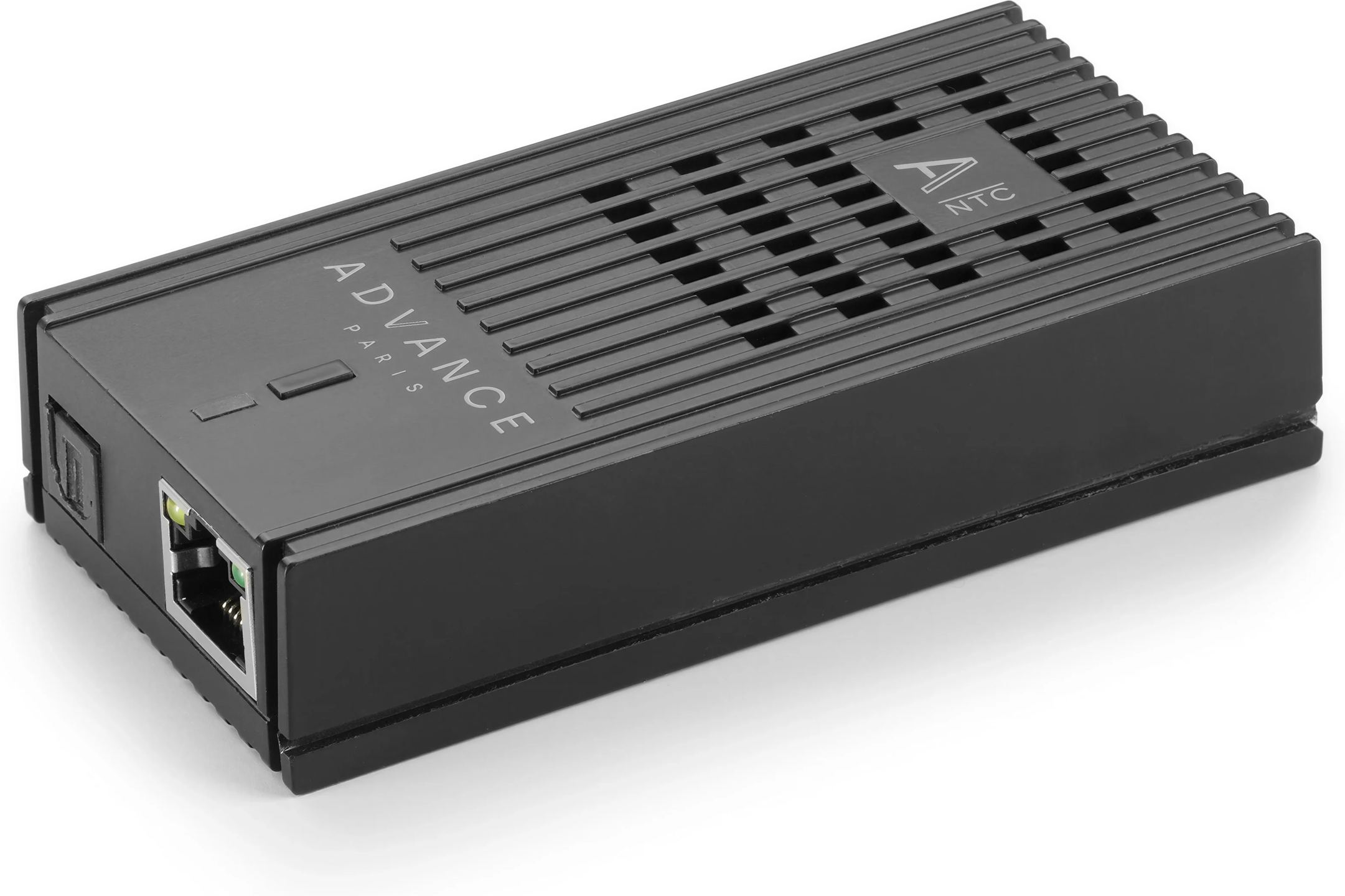
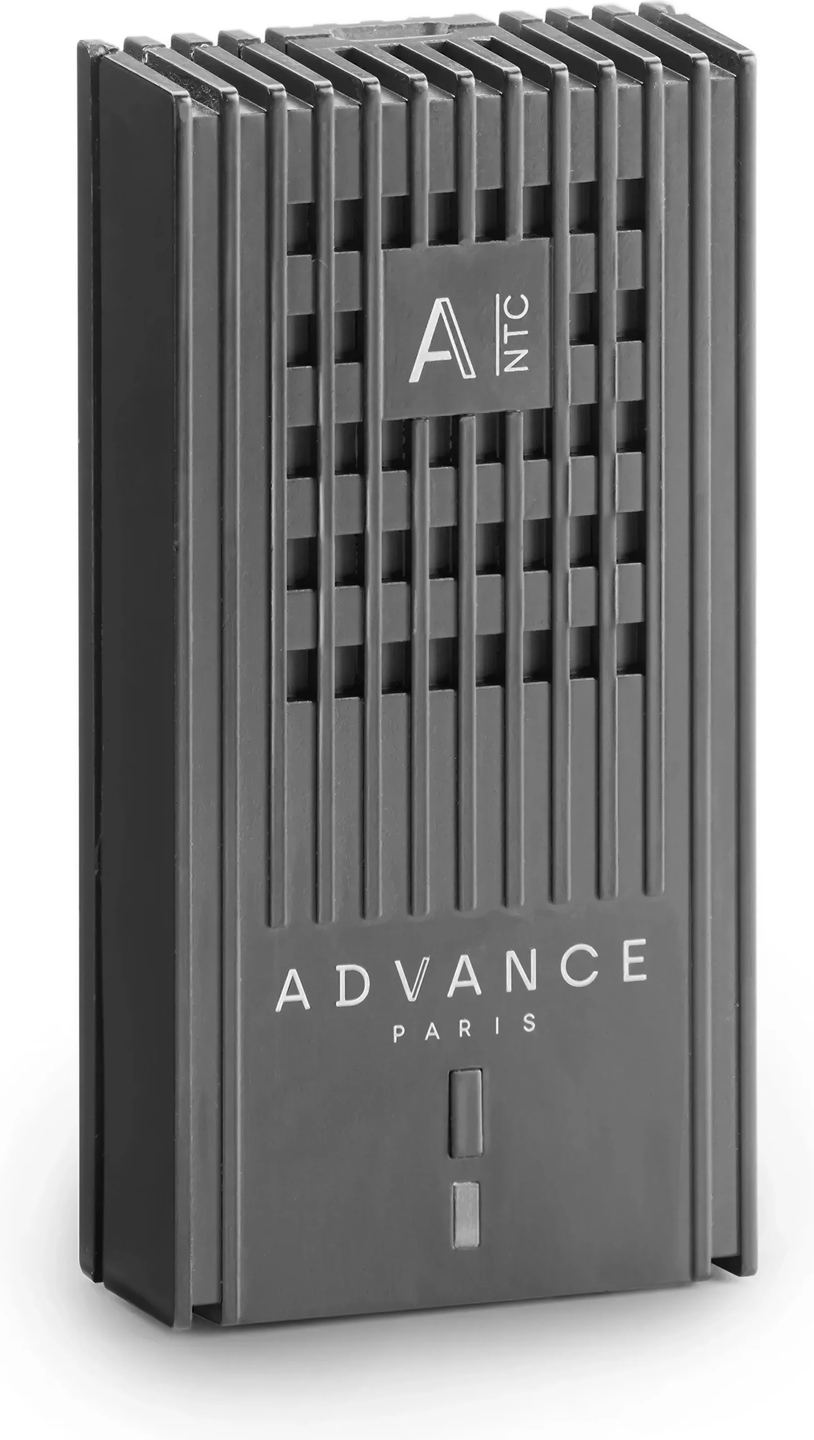
A pocket-sized network player, with no screen or front-panel controls
At 10 cm long, 5 cm wide, 2.2 cm thick and 75 g, the A-NTC is roughly the size of a deck of cards. Its casing is grooved along its entire length and has just two features on top. The first is a button for pairing and resetting. The second is an indicator light that shows the player’s status: flashing red during startup, flashing white while awaiting network setup, and solid white when the player is available on the network. Power comes in at the front through a USB-C socket connected to the supplied external power adapter. The TOSLINK optical output and RJ45 Ethernet port are on the back. The player has no power switch: it starts as soon as it receives power and consumes 5 W.
Two ways to add it to a hi-fi system
For standalone use, an optical cable is all you need to connect the A-NTC to the digital input of an integrated amplifier, a digital-to-analog converter (DAC) or a network amplifier. It adds network playback to a system that lacks it. The A-NTC is a digital transport: it has neither a DAC nor an analog output. The device receiving the signal converts it from digital to analog, so the quality of that DAC directly affects the result. An amplifier with a good built-in DAC will make the most of it.
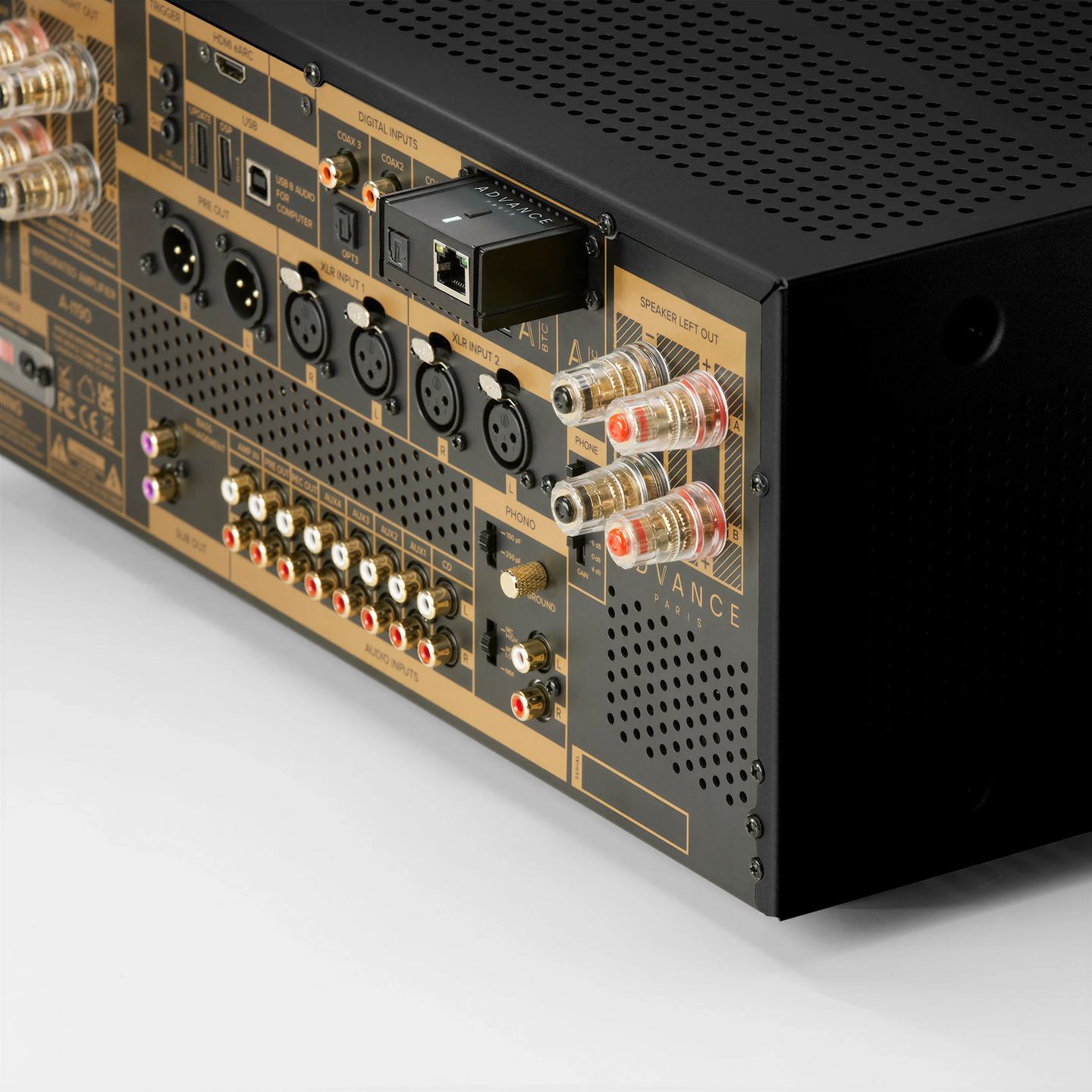
On the A-i130 and A-i190 integrated amplifiers in the NOVA range, the A-NTC slides into a dedicated rail at the back of the chassis. The amplifier then becomes a network-connected integrated unit, with no separate device to accommodate. Startup is handled too. Even when the NOVA amplifier is in standby, simply select the A-NTC in a compatible streaming app and start a track. The amplifier turns on, pauses playback while its preamplifier tubes warm up, then starts playing once they are ready.
Qobuz, TIDAL, Spotify and AirPlay from their own apps
The A-NTC appears as a playback device in the Qobuz, TIDAL and Spotify apps on both iOS and Android, thanks to each service’s Connect protocol. Once you select the A-NTC, it retrieves the stream from the internet itself. The phone, tablet or computer no longer carries the audio; it only controls playback. You need a subscription to the relevant service, and the control device must be on the same network as the player. With Qobuz Connect and TIDAL Connect, high-resolution files arrive at their original resolution, up to the output’s limit of 24-bit/192 kHz.
On an iPhone, iPad or Mac, AirPlay 2 lets you access the A-NTC from any audio app, including Apple Music, podcasts and radio apps. Just tap the AirPlay icon in Control Center or the app’s player, then choose the A-NTC from the list. AirPlay transmits audio at CD quality. For high-resolution audio, you therefore need to use the Connect services.
Your music library over the local network
For purchased or digitized files, the A-NTC acts as a DLNA playback endpoint (DLNA is a standard for sharing media on a home network). It stores nothing itself. The music stays on a computer, an internet router or a NAS running server software, such as Windows Media Player, Plex or JRiver.
The Advance Control app browses these servers from its Browse tab, under NAS. Choose an album there, and the A-NTC retrieves the file from the server and sends it to its optical output. Advance Control is not a server: DLNA server software must therefore be running somewhere on the network. The server software itself or another DLNA control app can also take the place of Advance Control for playback control.
As for files, the player supports common lossless formats (FLAC, ALAC, WAV, AIFF, APE, WMA Lossless) and compressed formats (MP3, AAC in its various forms, OGG Vorbis, Opus, WMA).
What the optical output means for your amplifier
The TOSLINK connection transmits the signal using light. There is therefore no electrical contact between the network equipment and the amplifier, and interference travelling through network cables cannot pass along this path. The output delivers a stereo PCM signal up to 24-bit/192 kHz. It does not transmit multichannel audio, which is no issue for listening to music in stereo.
Before buying, one point is worth checking: some optical inputs on amplifiers and DACs are limited to 96 kHz. With these inputs, a 192 kHz file will produce no sound. The receiving device’s manual specifies this limit. When connecting the A-NTC, Advance Paris recommends switching off the amplifier before connecting the optical output to avoid a sudden noise through the speakers.
Wired network or Wi-Fi: setup and updates
Ethernet is the simplest option. Just connect a Category 5e cable or higher before powering on the player, and it connects without any setup. When both connections are available, the player gives priority to the cable. The Ethernet port operates at 100 Mbps, providing ample headroom over the roughly 9.2 Mbps needed for a 24-bit/192 kHz stereo stream. A wired connection remains the most stable option, especially for high-resolution audio.
Dual-band Wi-Fi (2.4 and 5 GHz, 802.11ac standard) uses a built-in antenna. Setup takes place in the Advance Control app on a phone connected to the intended Wi-Fi network: tap “+” to add a product, select the A-NTC, then your network, and enter its password. The indicator turns solid white once the connection is established, and the player reconnects automatically on subsequent startups. Place the player within a reasonable distance of the router and avoid metal obstructions.
Firmware updates also go through Advance Control. Each time it launches, the app checks whether a new version is available and updates the player. The process takes a few minutes and ends with a restart. During this time, the player must remain powered and connected to the network.
Technical specifications
Overview and operation
- Device type: Advance Paris A-NTC network streamer.
- Form factor: compact module compatible with the rear rail of NOVA series integrated amplifiers.
- Starts automatically when connected to power, with no power switch.
- Status indicator light: startup, network setup, connection established.
- Pairing and reset button.
Network playback and streaming services
- Compatible services: Spotify Connect, TIDAL Connect, Qobuz Connect, AirPlay Audio (AirPlay 2).
- DLNA: network playback point.
- Control from streaming apps on iOS and Android.
Supported file formats
- MP3, MP4, AAC-LC, AAC-HE, AAC-LTP, HE-AACv1, HE-AACv2.
- FLAC, ALAC, WAV, AIFF, APE.
- OGG-Vorbis, Opus.
- WMA 1, WMA 2, WMA Pro, WMA Lossless.
- AMR-NB, AMR-WB.
Connectivity
- Optical digital audio output: 1 TOSLINK port, stereo PCM up to 24-bit and 192 kHz.
- Ethernet: RJ45 port, wired connection takes priority over Wi-Fi.
- Wi-Fi: 2.4 GHz and 5 GHz, 802.11 a / b / g / n / ac standards, built-in antenna.
App and software
- Setup and control: Advance Control app, available on the App Store and Google Play Store.
- Browse DLNA servers from the app.
- Firmware updates via Advance Control.
Power and consumption
- Power input: 1 USB-C port.
- Power consumption: 5 W.
Dimensions and weight
- Product dimensions (width × height × depth): 10 × 2.2 × 5 cm.
- Package dimensions (width × height × depth): 22 × 5 × 17 cm.
- Net weight: 75 g.
- Gross weight: 381 g.
Box contents
- A-NTC network streamer.
- USB-C cable.
- External power supply with interchangeable plug adapters.
Frequently Asked Questions
Is the optical cable included?
No. The box contains the player, a USB-C cable, and the power adapter with its plug attachments. For standalone use, you’ll need a TOSLINK cable of a suitable length for your setup.
Does the power supply work in other countries?
Yes. It comes with interchangeable plugs for European, British, American, and Australian/New Zealand outlets. Just snap on the one that matches the outlets in the country before plugging in the power adapter.
Can the A-NTC be left plugged in permanently?
Yes. The player can remain switched on continuously, even when the amplifier is off. This keeps it ready whenever you play a track from an app. If you’ll be away for an extended period, Advance Paris recommends unplugging it from the mains.
How do I change the Wi-Fi network or restore the factory settings?
Press and hold the top button for more than 10 seconds, until the indicator flashes rapidly. After about 30 seconds, the player restarts and the indicator flashes once per second. All settings are erased, including the Wi-Fi configuration and the name given to the player. You will then need to set up the network again in Advance Control.
Is the A-NTC compatible with Roon or Google Cast?
The supported protocols are Spotify Connect, TIDAL Connect, Qobuz Connect, AirPlay 2 and DLNA. Roon and Google Cast are not supported. On Android, playback is handled through the Connect services’ apps or a DLNA control app.
Can a NOVA amplifier accommodate the A-NTC and the A-BTC Bluetooth dongle at the same time?
Yes. The A-i130 and A-i190 have two separate slots on the back: one for the A-NTC module and the other for the A-BTC two-way Bluetooth dongle. The two accessories can be installed side by side, together or separately.
Can the A-NTC be used without the Advance Control app?
Yes, for the most part. With an Ethernet connection, the player joins the network without any setup, and the Qobuz, TIDAL, Spotify and AirPlay apps detect it directly. Advance Control is still needed for Wi-Fi setup and updates. It is also used to browse DLNA servers, although another control app can be used for that purpose.
Where can I find the software version installed on the player?
It appears in the Settings tab of Advance Control. This information is useful when requesting support from Advance Paris technical support.
- Eco-contribution included in the sale price.
- GTIN / EAN: 3760179292572