
Jacky
No issues, product complies
Comment from 17 January 2016 — Experience from 28 December 2015
Automatically translated — Show original (French)
RAS produit conforme
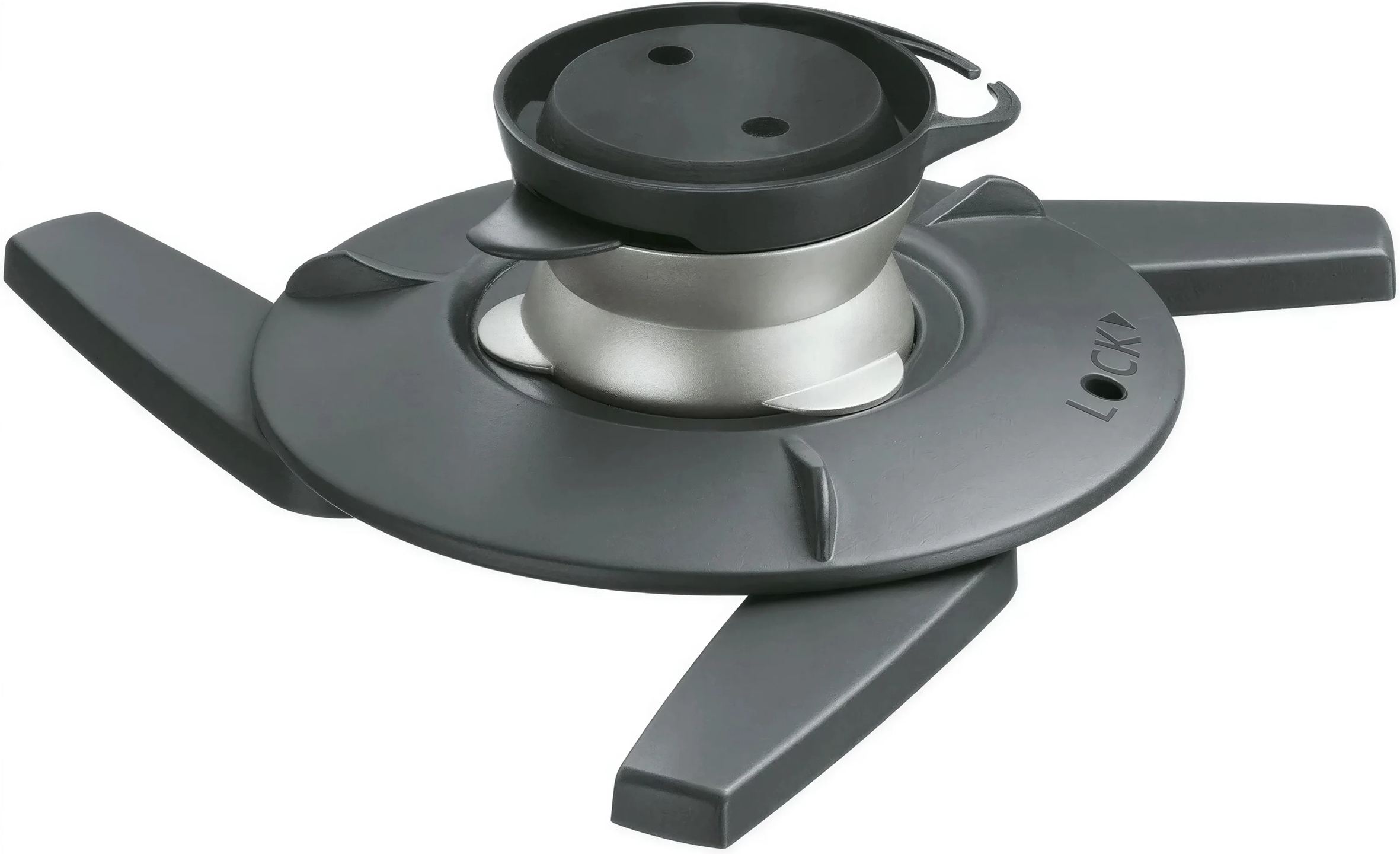
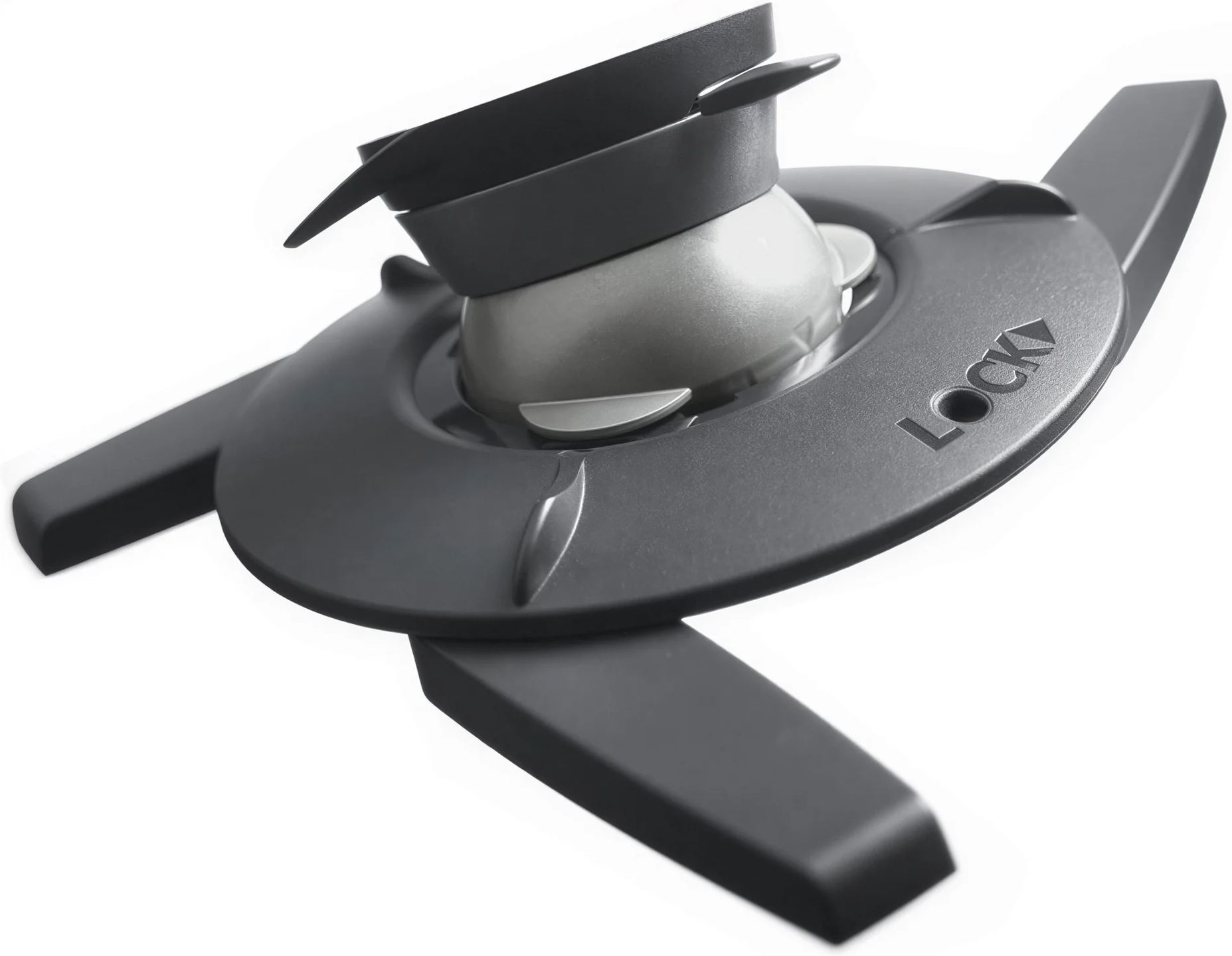
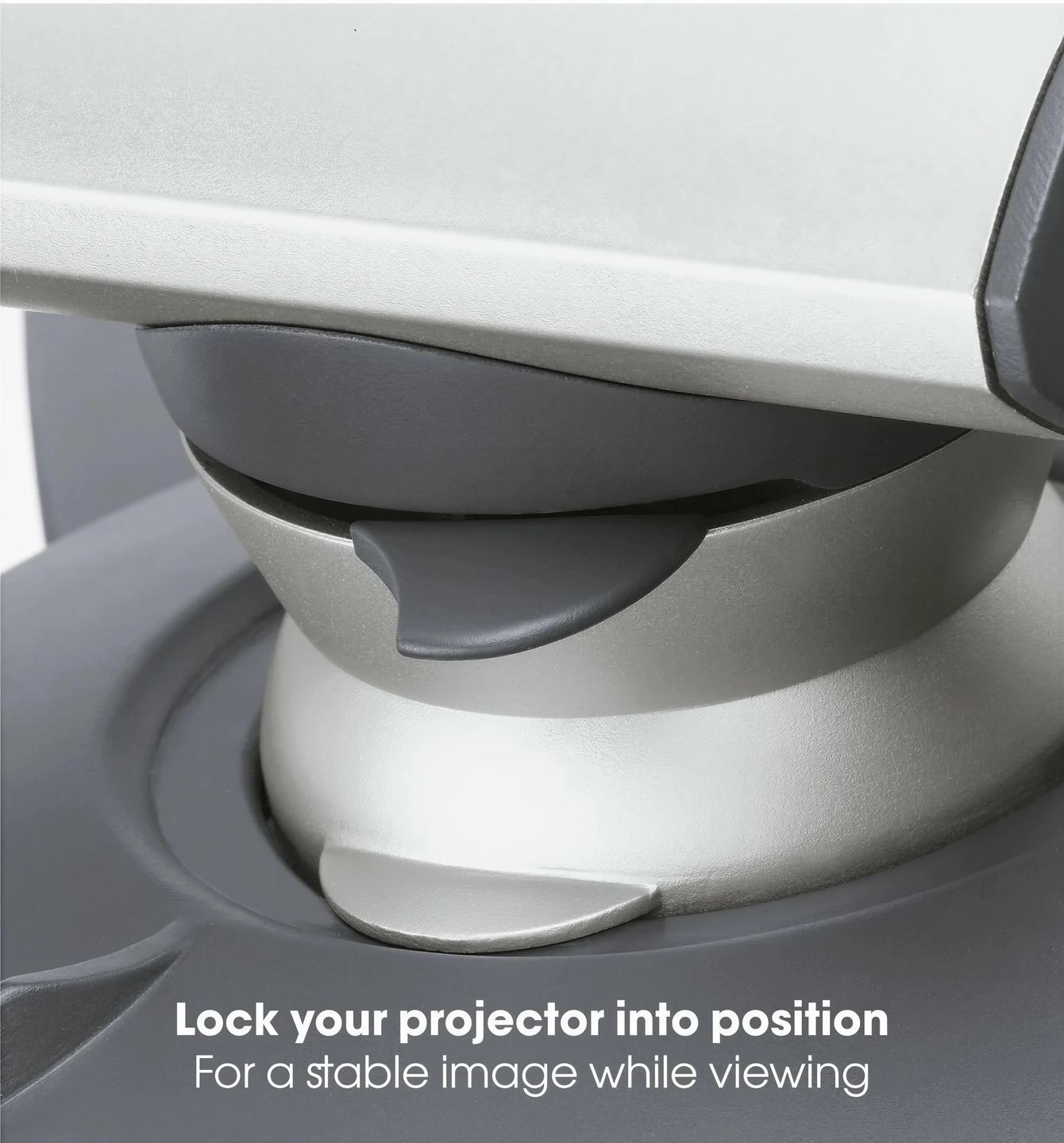
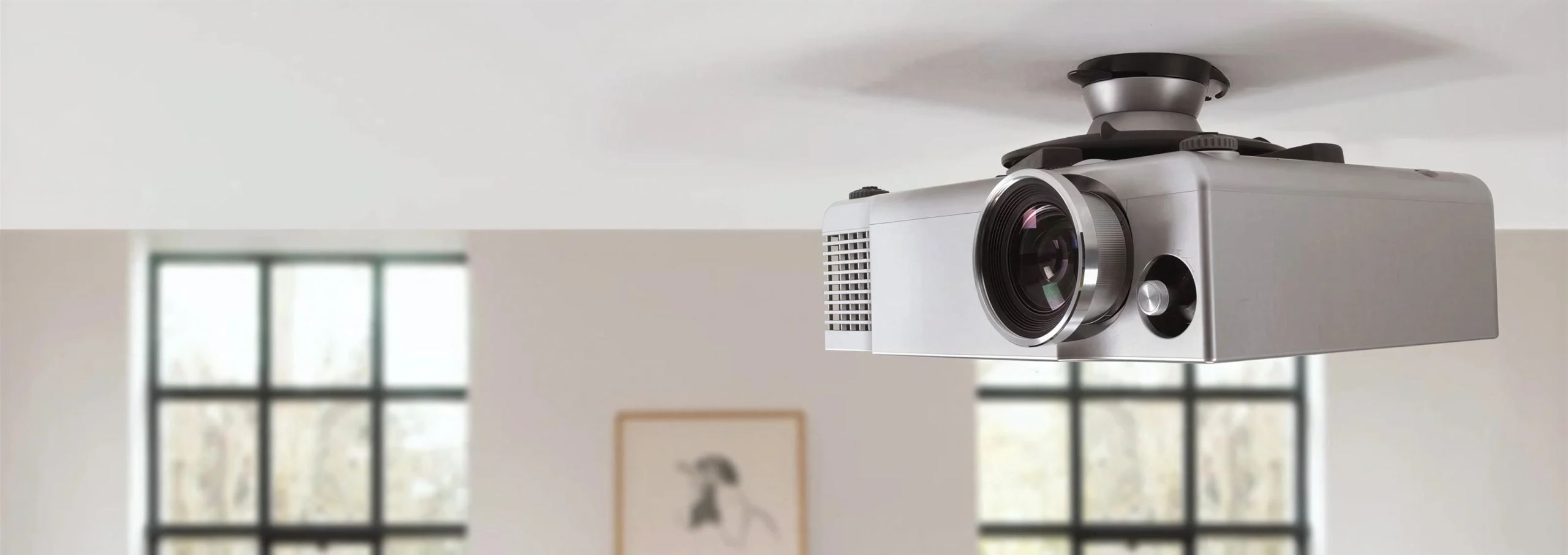
Mounting a projector on the ceiling frees up space and keeps cables out of reach, but you still need to aim it precisely at the screen and maintain that alignment over time. This Vogel’s mount combines a ball joint with a wide range of movement, an alignment lock and a connector that releases the projector with a single click. Its universal interface accommodates almost all models weighing up to 10 kg.
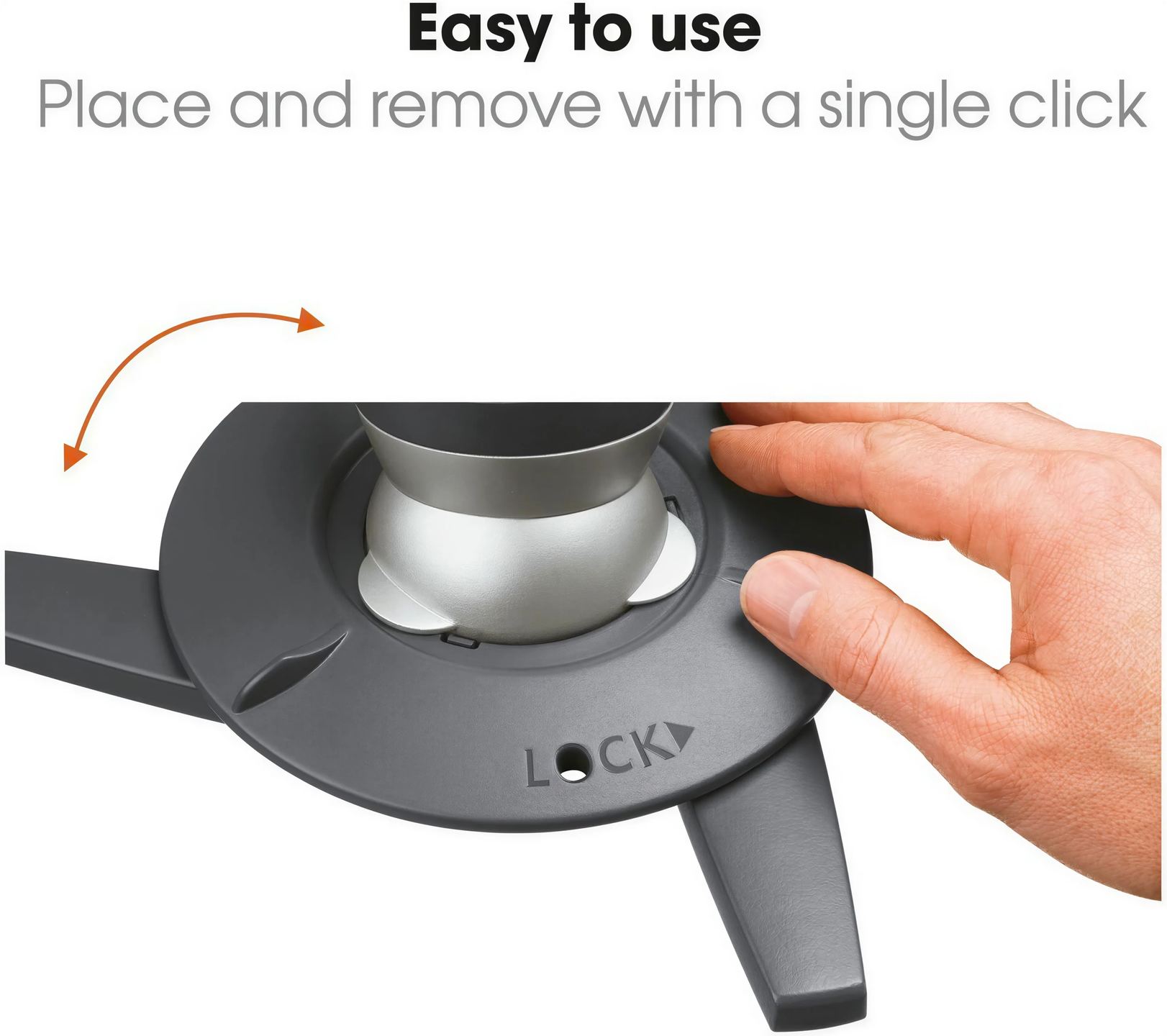
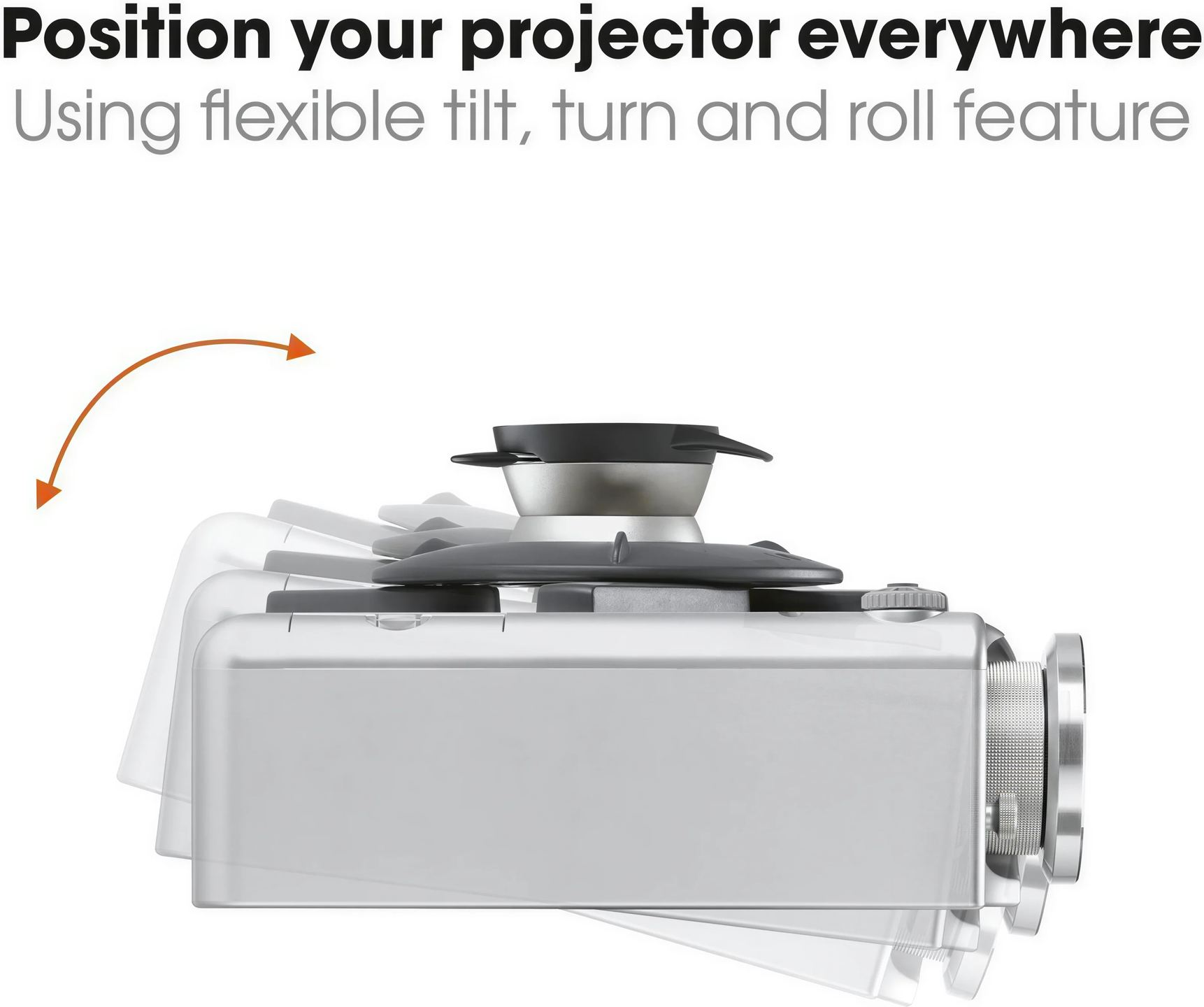
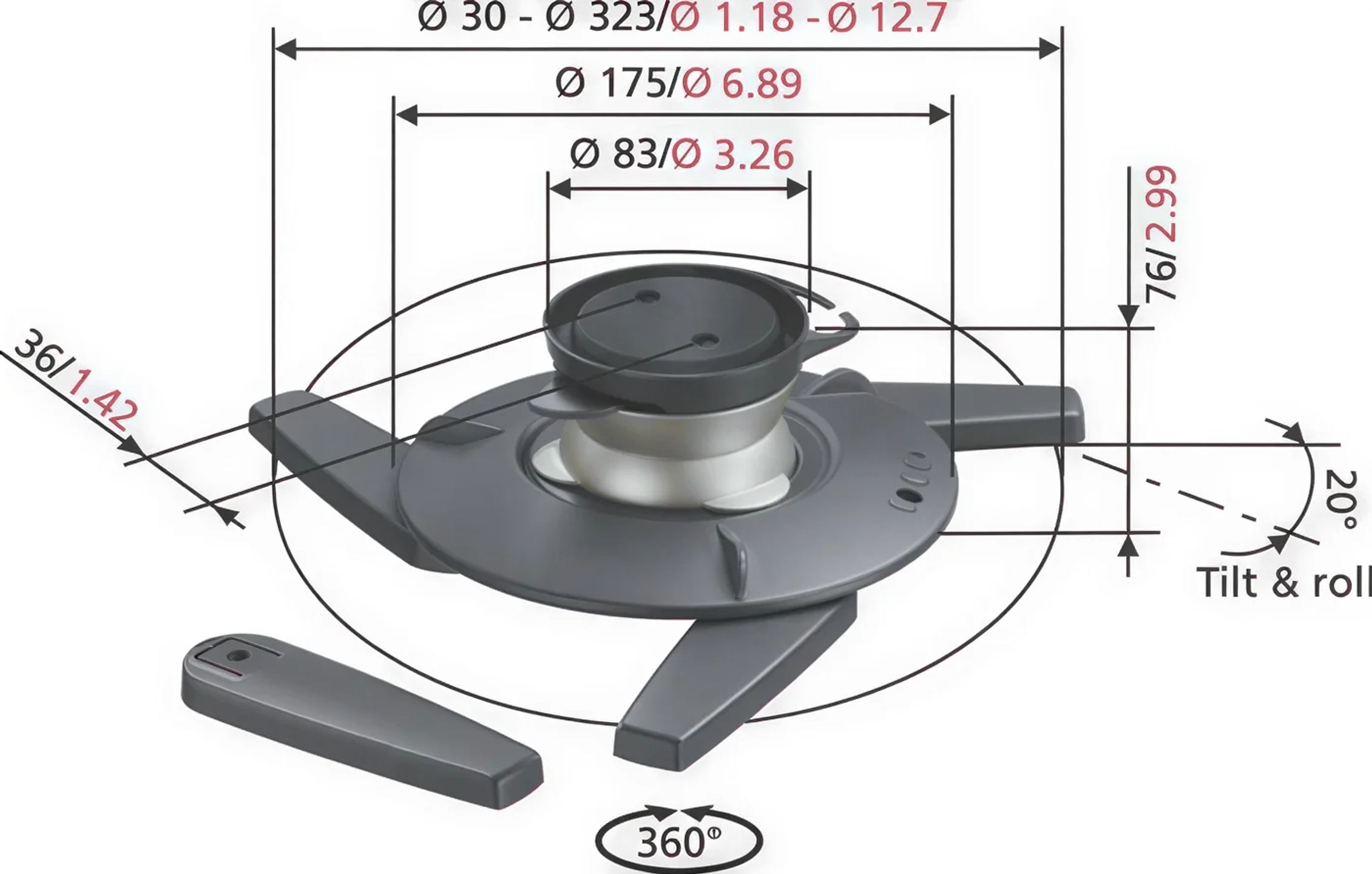
All adjustments are made through a spherical hinge, a ball joint that combines all movements at a single pivot point. The projector rotates 360° around the vertical axis, tilts up to 20° down towards the centre of the screen and allows 20° of roll, a sideways rotation that levels the image when the ceiling is not quite parallel to the floor. This last adjustment is missing from many basic mounts, and it is often what prevents a slightly tilted image. Once the image is correctly framed, the Adjust & Secure (adjustment and locking) function locks the ball joint in position: the image stays aligned from one viewing session to the next, with no further adjustment.
The mount consists of two parts: a module screwed to the ceiling and a universal connector attached to the underside of the projector. The two click together, and the reverse action releases the device without unscrewing the ceiling module, making it easier to clean the filters or move the projector to another room. This connector is part of Vogel’s Click & Switch (Attach & Change) system: the same connector fits the brand’s table or wall modules, sold separately, allowing a single projector to move from the living room ceiling to a meeting table without removing its interface.
The CIS cable management system, patented by Vogel’s, houses power and signal cables inside the mount rather than leaving them hanging alongside it. When the projector is removed, the supplied ceiling cover conceals the module and cables, leaving only a discreet silver-finished piece on the ceiling. The mount’s design has won the iF Product Design Award and the Good Industrial Design Award, and the assembly is certified by TÜV, an organisation that checks equipment safety and mechanical strength.
The distance between the ceiling and the top of the projector is fixed at 76 mm, with no extension tube or height adjustment. The device therefore stays close to the ceiling, freeing up headroom beneath the image, but you need to check before drilling that the lens can reach the top of the screen. A projector with lens shift, which moves the image optically without moving the housing, handles this easily. Without this feature, tilting the ball joint compensates for the height, at the cost of a trapezoidal image that the projector corrects digitally with a slight loss of resolution. The supplied mounting hardware is suitable for solid wood, brick or concrete ceilings with a surface covering no thicker than 3 mm. Vogel’s guarantees the mount for 10 years.
Two things are all that matter: the weight, which must not exceed 10 kg, and the presence of threaded inserts underneath the housing, where the universal connector screws in. Almost all home theater and office projectors are equipped with these. The weight specified by the projector manufacturer excludes cables, which add a few hundred grams.
The supplied wall plugs are intended for solid ceilings. For plasterboard or hollow brick, you must either screw into a joist or load-bearing framework, or use plugs suitable for the material, and the instructions recommend seeking advice from an installer. Fixing solely into the plaster facing must be avoided for a suspended load.
Yes, the projector is mounted upside down on the ceiling, with the top of the casing facing the mount. Then simply enable ceiling mode in the projector’s menus, which flips the image so it appears the right way up on the screen.
The mount conceals cables along its own length, not all the way to the wall. The neatest solution is a power outlet and a conduit for the HDMI cable near the mounting point, planned before installation. For long distances, a fibre optic HDMI cable maintains a stable signal without crowding the conduit.
No, the 76 mm is fixed. If the projector needs to be lowered further to reach the screen, you’ll need a mount with an adjustable extension tube from the Vogel’s range.
It covers defects in materials and workmanship, with free repair or replacement upon presentation of proof of purchase. Normal wear and tear is excluded, and the warranty is void if the mount has not been installed according to the instructions, has been modified, or holds a device other than the one intended.
Yes, the click-fit connection is not just for portable use. Once the ball joint is locked, the mount holds the projector in position for as long as needed, and the option to detach it is only used for maintenance or relocation.
Jacky
No issues, product complies
Comment from 17 January 2016 — Experience from 28 December 2015


