

Audioquest Carbon optic to 1.5m jack
Overview
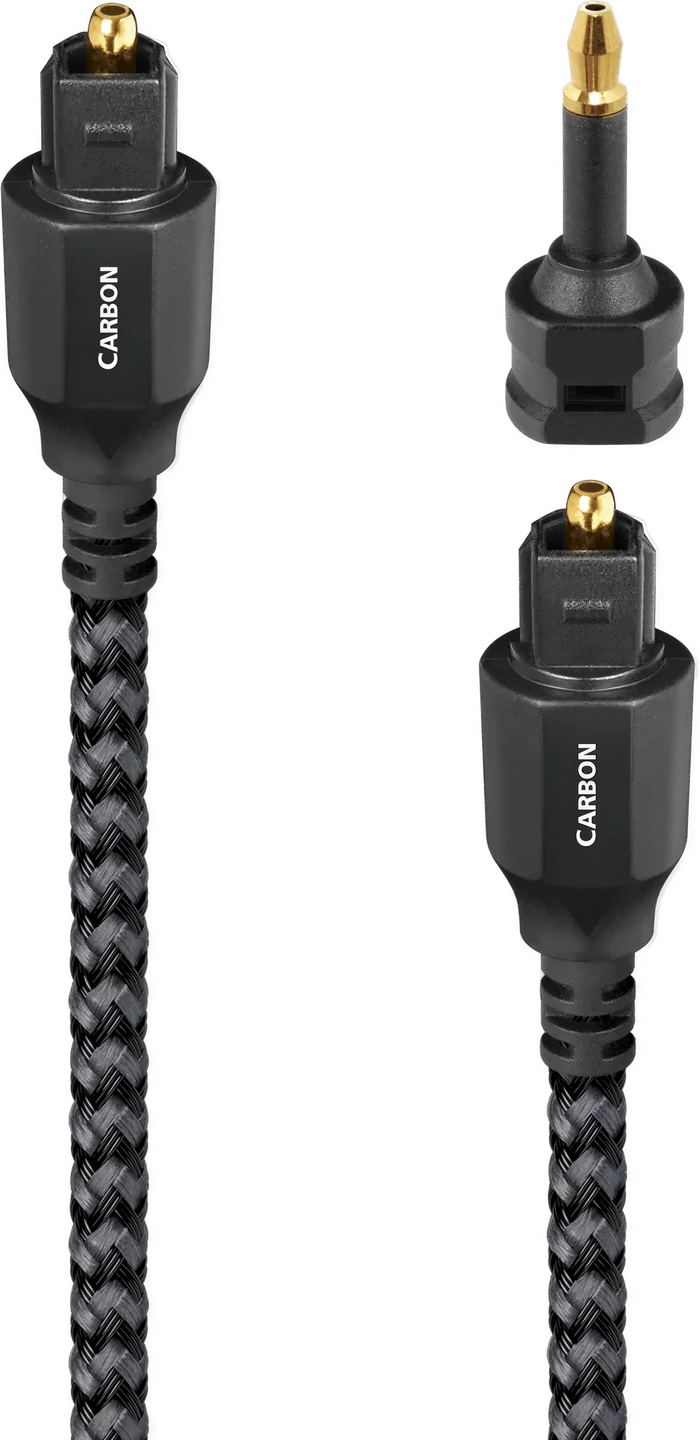
On a laptop, network streamer or audiophile music player, the digital output is often hidden in a 3.5 mm socket that looks exactly like a headphone output. Connecting it to the Toslink input of a converter requires a cable with two different ends. Audioquest offers a refined version here, in which the single plastic fibre found in standard cables is replaced by a bundle of fine strands.
Nineteen strands instead of a single fibre
An ordinary optical cable carries the signal through a single large-diameter plastic fibre. The light emitted by the diode enters it at a multitude of angles, reflects off the walls, and the most oblique rays travel a longer distance than those that go straight through. The result is that the edges of the pulse spread out over time. This is modal dispersion, and the receiving circuit, responsible for deciding the precise moment when the signal switches, receives less distinct transitions, and therefore timing errors: jitter.
The Carbon combines nineteen high-purity synthetic fibres with a narrow aperture. Each accepts only a tighter cone of light, reducing the difference between the shortest and longest paths. There is a trade-off: round strands placed side by side leave empty gaps, so the effective capture area is smaller and attenuation per metre is higher than with a large fibre. Over domestic distances and with standard streams, this loss has no consequence. It does, however, explain why very long optical links become challenging at high sampling rates.
In Audioquest’s optical range, this model sits between the Cinnamon and the Vodka. The black and grey braided jacket makes the cable somewhat stiffer than PVC-jacketed cords, which becomes noticeable when routing it behind furniture.
Polished ends and galvanic isolation
The fibre faces are precision-polished. The benefit is mechanical before it is poetic: a rough face scatters some of the light instead of cleanly injecting it into the photoreceiver opposite, and what is lost at the coupling stage cannot be recovered.
The other advantage is that the connection carries no current. No metal connects the two devices, so no common ground runs between them. A television connected to a communal antenna or set-top box, a converter plugged into another wall outlet: the classic setup for ground-loop hum disappears on its own, and radio-frequency interference from switching power supplies finds no conductive path to the amplifier. This advantage belongs to the optical principle itself, whatever the cable; Audioquest preserves it by avoiding any metal parts in the connection.
Formats accepted by optical S/PDIF
The optical link defines a ceiling that cable quality cannot raise. In stereo, PCM commonly works up to 24-bit and 96 kHz; 24/192 depends on the source and remains inconsistent, with many optical outputs on televisions or consoles even limited to 48 kHz. In multichannel, the format carries compressed Dolby Digital and DTS up to 5.1.
On the other hand, neither Dolby TrueHD, DTS-HD Master Audio nor Dolby Atmos can pass through an optical link: these streams require HDMI, and HDMI eARC for return from the television. A good optical cable is used to properly play what the format allows, not to push its limits.
The 3.5 mm socket and its pitfalls
The mini optical connector is found on laptops equipped with a combined headphone and digital output socket, on certain network streamers, on some high-end digital music players, and on some converters and network players that save the space required by a full-size Toslink connector.
Before ordering, a check is necessary: not all 3.5 mm sockets are optical. On a compatible device, a red glow is visible at the bottom of the connector when the digital output is active; on a strictly analogue headphone socket, there is nothing to see and nothing to expect. The second point to check is in the menus: some sources require the output to be switched to PCM or digital mode, and some disable the optical output as soon as headphones are detected.
Handling, bends and dust
Synthetic fibre does not tolerate sharp angles well. A cable bent at 90 degrees against a rear panel can crack without anything being visible from the outside, resulting in dropouts or a complete absence of signal. It is better to allow for a wide loop behind the furniture than to force it through.
The original caps are worth keeping: dust deposited on the polished face scatters light precisely where the care taken during manufacture was intended to prevent it. Finally, the mini plug must be inserted fully, which requires a little firmness with combined sockets fitted with a shutter.
Technical Specifications
Overview
- Toslink optical cable with mini-Toslink adapter
- 100% optical connection providing galvanic isolation
- Immune to electromagnetic and radio-frequency interference
Audio Transmission
- 19 high-purity synthetic optical fibers with narrow aperture
- Reduced light dispersion
- Precise digital transmission
- Optimized bandwidth
- Low synchronization error rate
Sound Quality
- Low jitter for stable transmission
- Faithful reproduction of details
- Natural, balanced sound
- Reduced signal distortion
Design
- High-purity synthetic fibers
- Precision-polished fiber ends
- High-end optical connectors
Frequently asked questions
Can I use a Toslink-to-mini-jack adapter on a standard cable instead of this model?
It is possible—Audioquest sells one separately—and this solution is useful when you already own a good Toslink-to-Toslink cable. However, it adds an extra interface to the optical path: two additional surfaces and mechanical play between the adapter and the connector, with a risk of misalignment. A factory-fitted termination avoids this break.
Optical or coaxial, which should you choose when the source offers both?
Coaxial handles high bitrates more easily, especially 24/192, and is unaffected by light dispersion. Optical provides galvanic isolation, which is crucial as soon as a mains-connected TV, set-top box or computer enters the chain. When faced with persistent hum, optical solves the problem; when dealing with a demanding high-resolution stream, coaxial offers greater reassurance.
Does the connection direction matter?
No. Beyond the connector shapes, which dictate the placement themselves: the mini plug goes into the device equipped with the 3.5 mm jack, and the Toslink into the other. No shielding or ground conductor is involved, so there is no orientation to observe.
Can this cable improve the sound of a TV connected to a soundbar?
It carries the stream exactly as the television outputs it, without altering it. The benefit lies in cleaner transitions read by the receiver and the absence of conducted interference, not in the content itself. If the soundbar is connected via HDMI eARC, the optical connection is in any case a fallback option, with the format limitations mentioned above.
- Eco-contribution included in the sale price.
- GTIN / EAN: 92592027992


