

Matrix Audio Element X2 Pure


Specifications and features


Overview
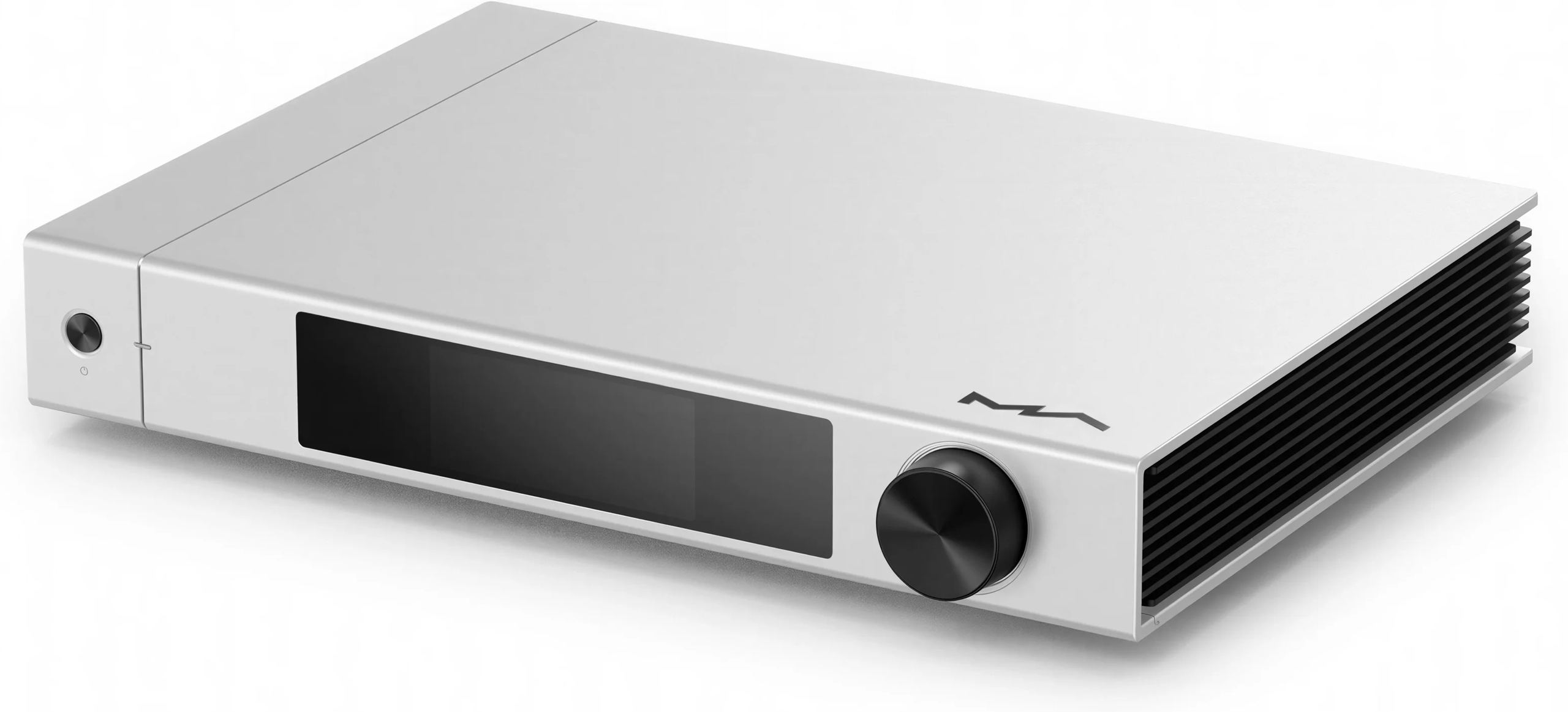
The Matrix Element X2 Pure represents the culmination of ten years of expertise in digital-to-analog conversion. Designed to celebrate Matrix Audio’s tenth anniversary, this high-end network player embodies the brand’s “Pure” philosophy: achieving absolute sonic purity while maintaining a minimalist design. Equipped with two ES9039Pro converters in mono configuration, a high-performance analog preamplifier, and comprehensive network connectivity, the X2 Pure positions itself as a nerve center for high-fidelity audio systems, capable of reproducing every musical nuance with remarkable precision.
Refined Design in Service of Sonic Excellence
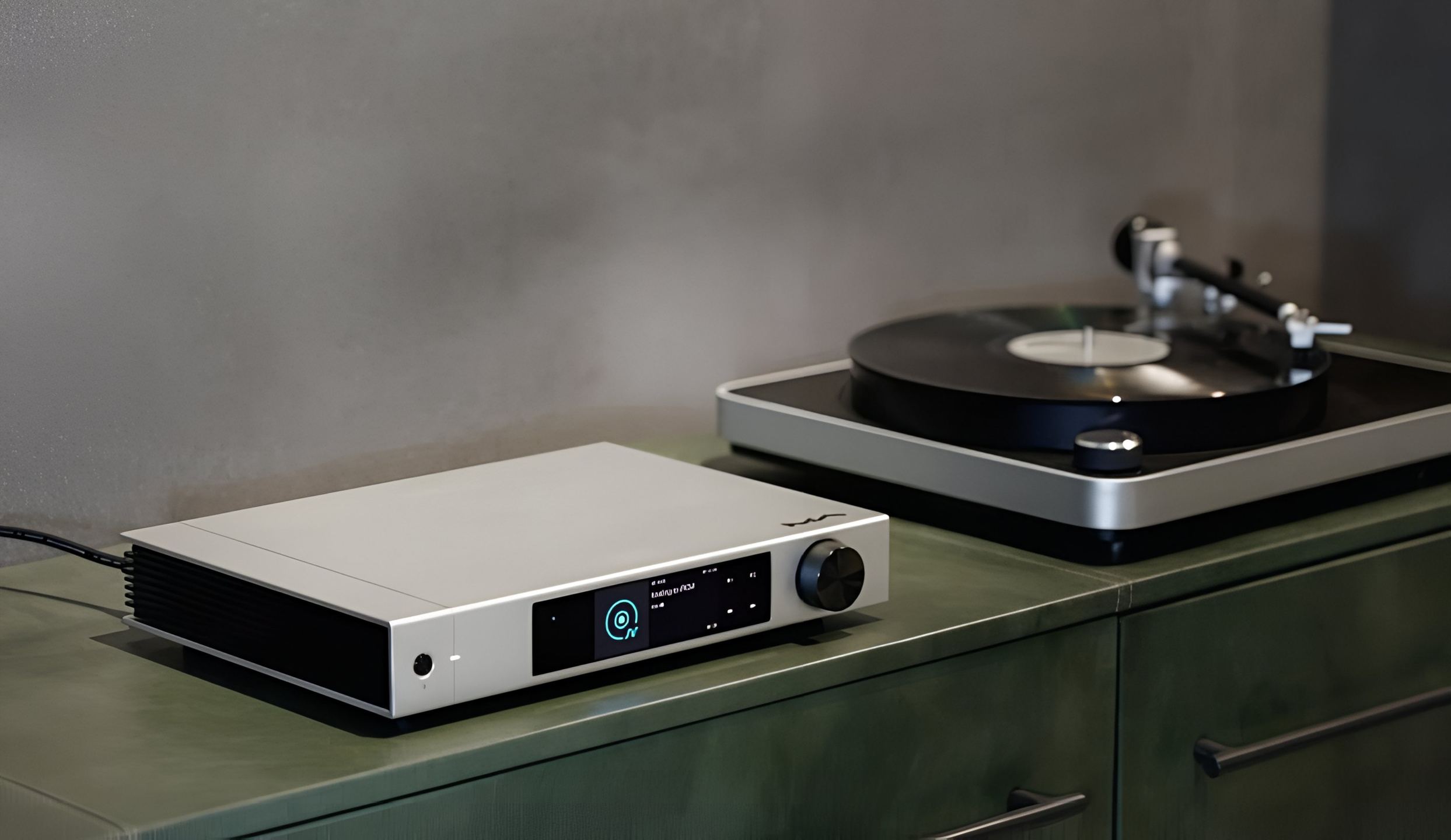
The Matrix Element X2 Pure features an elegant chassis measuring 340 × 259 × 58 mm and weighing 3.9 kg. Its minimalist front panel is dominated by a 3.46-inch color LCD touchscreen, providing an intuitive interface for navigating menus and displaying track information. The overall construction demonstrates exceptional attention to detail, with a machined aluminum shield protecting sensitive audio circuits from electromagnetic interference.
Inside, Matrix Audio has chosen an O-core toroidal transformer with silver wiring, a significant improvement over the standard X2 model. This design ensures a more uniform electromagnetic field, reducing losses and guaranteeing stable power to critical audio circuits. All stages are electrically isolated and regulated by LDO (Low Drop-Out) devices, creating perfect symmetry, optimal balance, zero interference, and an impressively silent background.
Uncompromising Digital Architecture
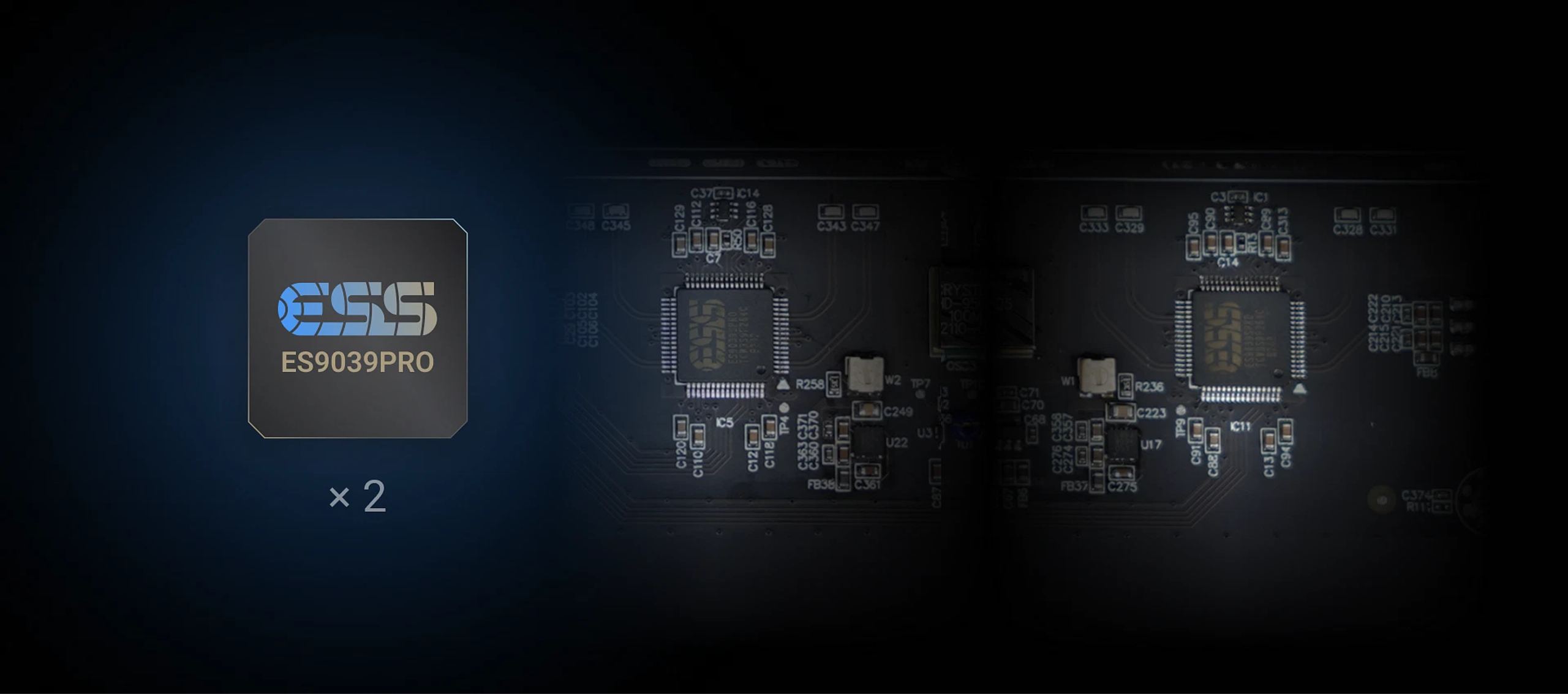
At the heart of the X2 Pure are two ESS Technology ES9039Pro DAC chips, the flagship of the Sabre range. Unlike the standard X2, which used the ES9038Pro, this new configuration fully exploits the potential of these cutting-edge converters. Each chip operates in mono mode, with 8 conversion units per channel working in parallel, significantly improving dynamic range and reducing audio distortion.
A little-known fact: the ES9038Pro and ES9039Pro chips each contain the equivalent of two ES9018S chips. With two ES9039Pros, the X2 Pure effectively operates with 32 channels per side in quad mode, each channel having 4 groups of 8 channels. This architecture generates a lot of heat and requires considerable expertise to implement correctly without the DAC becoming too bright, hot, or unbalanced.
To ensure perfect timing accuracy, the X2 Pure integrates Crystek CCHD950 femtosecond clocks with ultra-low phase noise. The device offers two operating modes: in Async mode, the DAC chips use these internal clocks as the main reference, ignoring the source device’s clock; in Sync mode, the internal clocks are disabled in favor of the source device’s clock, providing valuable flexibility for complex audiophile setups.
Comprehensive Connectivity for Optimal System Integration
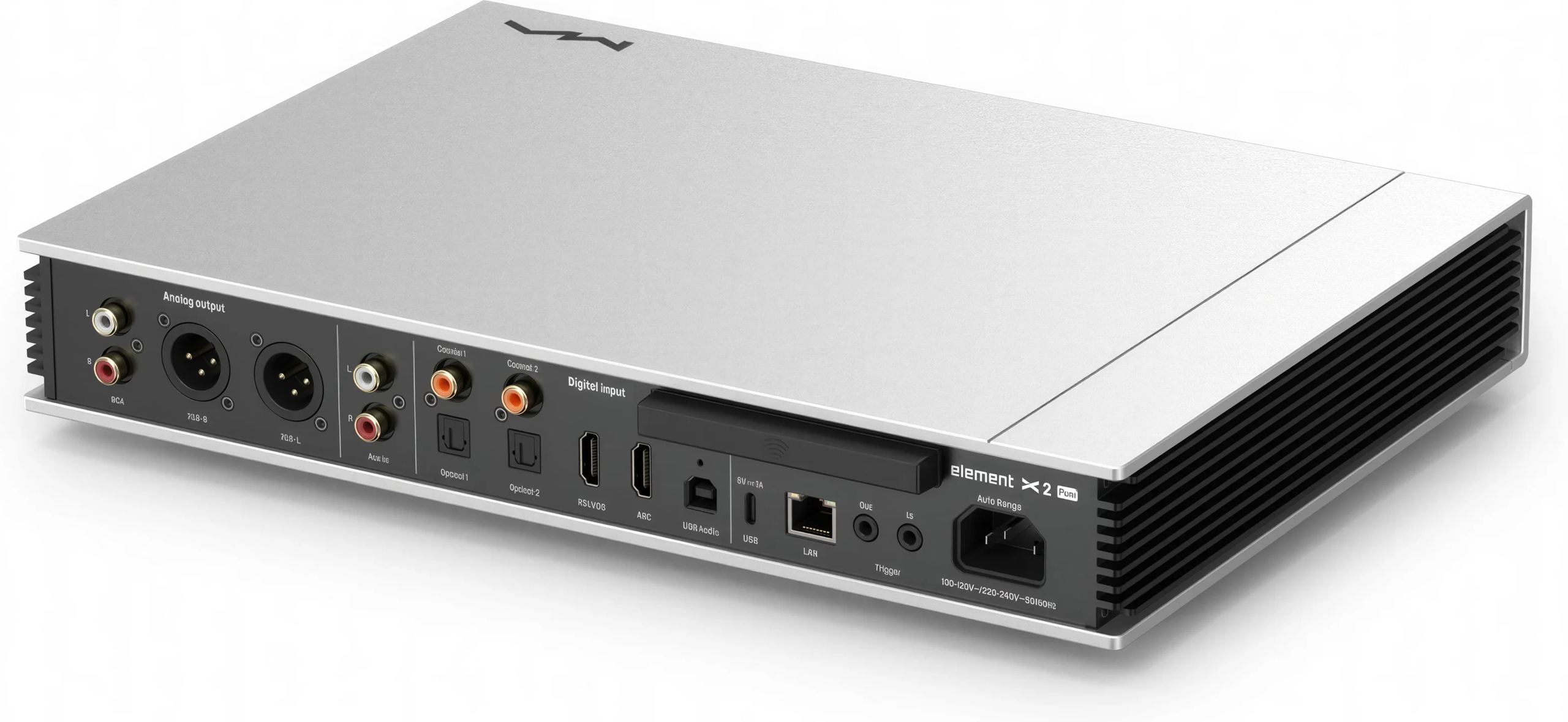
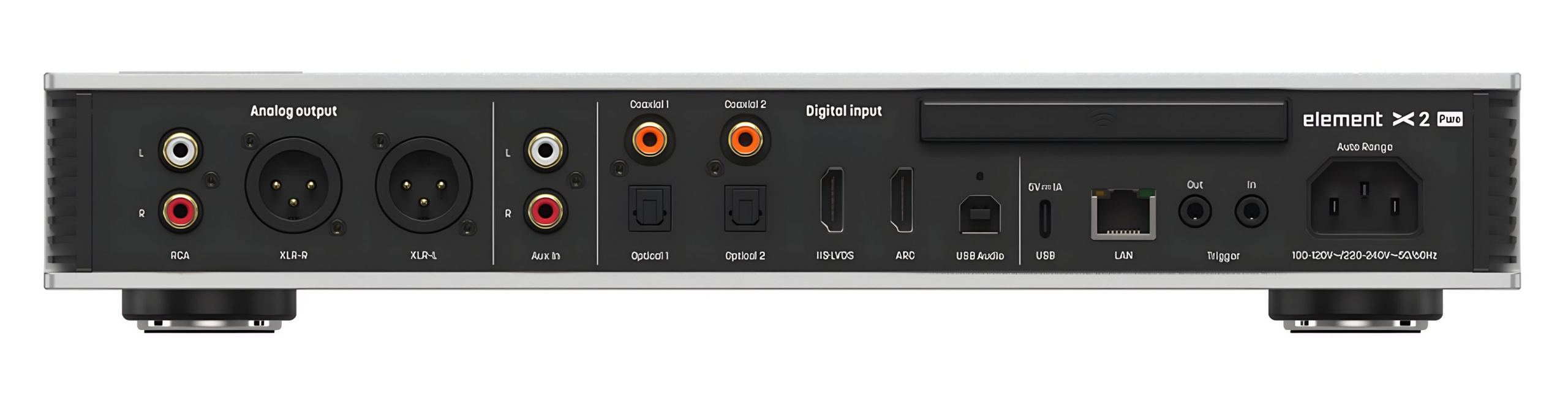
The Matrix Element X2 Pure offers a full array of connections to suit virtually any usage scenario. Inputs include two coaxial jacks, two optical jacks, an I2S LVDS input via HDMI, a USB-B port for computer connection, a stereo RCA analog input, and an HDMI ARC port for integration with modern TVs and projectors.
Support for HDMI ARC (Audio Return Channel) is a major asset for home theater enthusiasts, allowing audio from the TV to be routed directly into the hi-fi system. If the screen also supports HDMI CEC (Consumer Electronics Control), playback on the X2 Pure can be controlled via the TV’s remote, greatly simplifying the user experience.
On the output side, the X2 Pure offers high-quality RCA and XLR stereo connections. Unlike the standard X2, the Pure model does not have headphone outputs, as Matrix Audio has deliberately removed the headphone amplifier to dedicate more space and resources to optimizing the DAC and streaming.
High-Precision Analog Preamplification
One of the major strengths of the X2 Pure lies in its integrated preamplifier with +10dB analog gain. When this function is activated, the device can deliver high-quality audio signals up to 15.8 VRMS on its XLR outputs (7.5 VRMS on the RCA outputs). This capability, combined with Hyper-Control relay-based volume control technology, ensures extremely low noise and distortion levels across the entire output range.
This high-quality preamplification eliminates the need for an external preamplifier in many setups. Matrix Audio particularly recommends pairing it with their Element P2 power amplifier, creating a perfectly matched set both visually and acoustically, capable of efficiently driving a wide variety of speakers.
Advanced Network Features and High-Resolution Streaming
The X2 Pure excels as a modern network player with its NXP i.MX 6Quad processor (4 × Cortex-A9 @ 1.2 GHz) managing all streaming functions. Network connectivity is provided by a Gigabit Ethernet port (10/100/1000 Mbps) and a dual-band Wi-Fi module (2.4 GHz / 5 GHz).
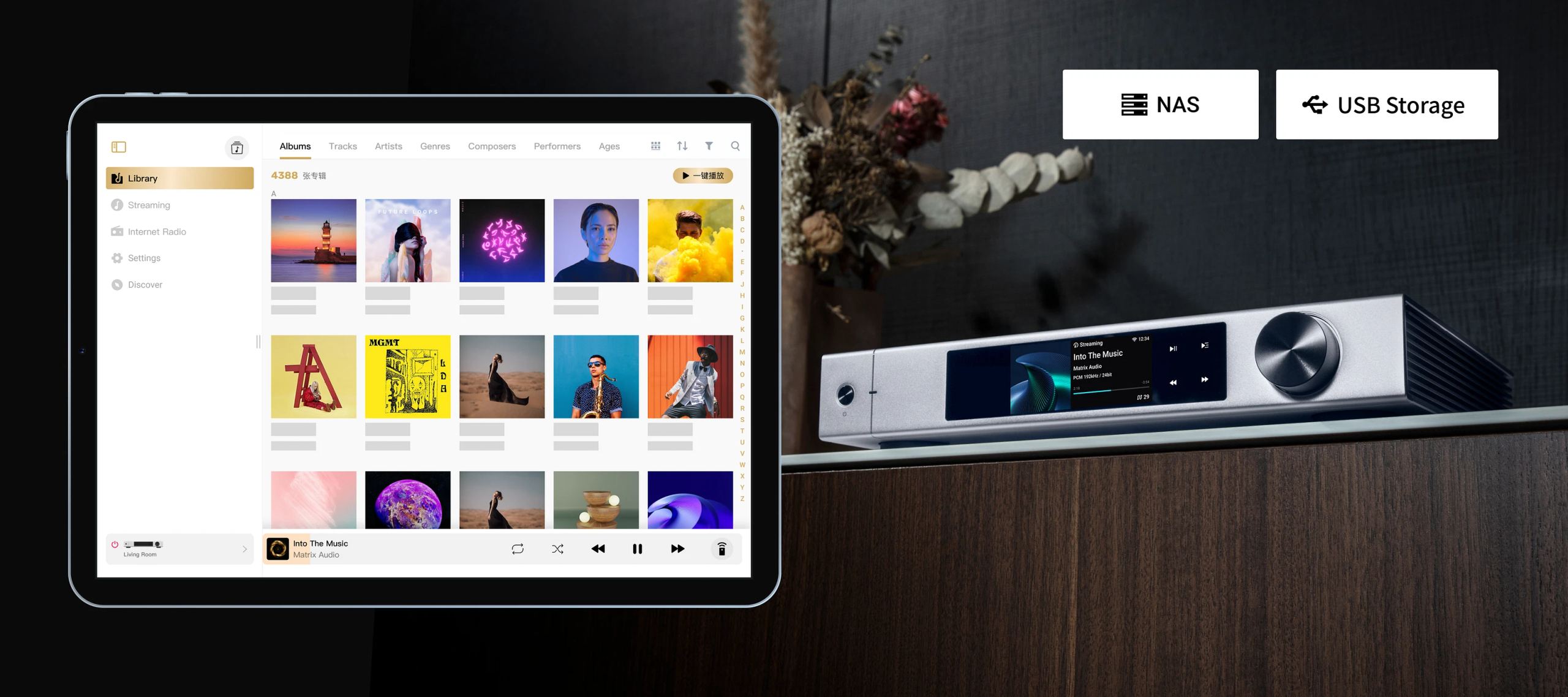
The device supports a multitude of network protocols, including AirPlay 2, DLNA/UPnP, TIDAL Connect, and Spotify Connect. Through the MA Remote app available on iOS and Android, users can access their local music files, connect to UPnP media servers on their network, and enjoy streaming services such as TIDAL, Qobuz, HIGHRESAUDIO, and Spotify. Internet radio stations from around the world are also accessible via vTuner, with no registration or payment required.
The X2 Pure is Roon Ready certified, offering seamless integration with this popular audiophile platform. For locally stored files, the built-in MA player allows access to content on USB devices or NAS, supporting a wide range of audio formats: MP3, WMA, WAV, AIF, AIFC, AIFF, AAC, FLAC, OGG, APE, ALAC, M4A, DSF, DFF, and CUE.

Documentation
Technical Specifications
Control and Integration
- Control app: MA Remote
- RM4 smart remote: programmable for quick and intuitive control
- Touchscreen: 3.46-inch color display for easy navigation
- Trigger
- Input: 6-12 VDC < 10 mA
- Output: 12 VDC 50 mA max
- Built-in preamp: analog gain up to +10 dB with high voltage output (15.8 VRMS), perfect when paired with the element P2 amplifier
Audio Processing
- CPU: NXP i.MX 6Quad 4 × Cortex-A9 @ 1.2 GHz
- DAC chip: 2 × ES9039Pro in mono mode
- Exceptional dynamics
- Ultra-low distortion
- Perfect channel separation
- Clocks: Crystek CCHD-950
- Async/Sync mode: choose between the ultra-precise internal clock or your source’s clock
Audio Formats and Compatibility
- Supported sampling rates
- Coaxial / Optical: PCM up to 24 bit 192 kHz, DSD DoP64
- I2S LVDS: PCM up to 32 bit 768 kHz, Native DSD up to DSD512, DSD DoP up to DSD256
- USB-B: PCM up to 32 bit 768 kHz, Native DSD up to DSD512, DSD DoP up to DSD256, MQA up to 24 bit 384 kHz
- HDMI ARC: PCM up to 24 bit 192 kHz
- Supported audio formats: MP3, WMA, WAV, AIF, AIFC, AIFF, AAC, FLAC, OGG, APE, ALAC, M4A, DSF, DFF, CUE
Network Features
- Network
- LAN: 10/100/1000 Mbps
- WLAN: 2.4 GHz / 5 GHz
- Supported network protocols
- AirPlay 2
- DLNA/UPnP
- TIDAL Connect
- Spotify Connect
- vTuner
- Radio Paradise
- High-resolution streaming: compatible with TIDAL, Qobuz, HIGHRESAUDIO, Spotify, Roon Ready, AirPlay 2, DLNA/UPnP, Qplay via the MA Remote app
- Local playback: access files from USB or NAS via MA Player Hi-Fi OS
Connectivity
- Inputs
- 2 × Coaxial
- 2 × Optical
- 1 × I2S LVDS via HDMI
- 1 × USB-B
- 1 × Stereo RCA
- 1 × HDMI ARC
- 1 × RJ45
- Outputs
- 1 × Stereo RCA
- 1 × Stereo XLR
- HDMI ARC: easy connection to HDMI ARC and CEC compatible TVs and projectors for enhanced home theater sound
General Specifications
- Power supply voltage
- 100-120 VAC 50/60 Hz
- 220-240 VAC 50/60 Hz
- Power consumption
- Standby: < 5 W
- Max: < 50 W
- Dimensions: 340 × 259 × 58 mm
- Weight: 3.9 kg
Package Contents
- 1 × Matrix Element X2 Pure
- 1 × RM4 Remote Control
- 1 × Power Cable
Frequently Asked Questions
What is the main difference between the standard X2 and the X2 Pure?
The main difference lies in the DAC architecture and the absence of a headphone amplifier on the X2 Pure. The latter uses two ES9039Pro chips in mono configuration, while the standard X2 uses the ES9038Pro. Matrix Audio has deliberately removed the headphone amplifier from the X2 Pure to dedicate more space and resources to optimizing the DAC and streaming features, aiming for even higher sound quality on the line outputs.
Why is there no headphone amplifier on the X2 Pure?
This deliberate decision by Matrix Audio was made to maximize the sound quality of the line outputs. By removing the headphone amplifier, engineers were able to allocate more space to the DAC circuit, improve power supply and shielding, and optimize signal processing. For audiophiles who prefer listening through speakers or already own a quality external headphone amplifier, this “pure” approach offers significant sonic advantages.
Is it compatible with all streaming services?
The X2 Pure supports many popular streaming services via the MA Remote app, including TIDAL, Qobuz, HIGHRESAUDIO, and Spotify. It is also compatible with AirPlay 2, DLNA/UPnP protocols and is Roon Ready certified. However, some services like Apple Music (outside of AirPlay) or Amazon Music HD are not directly integrated and would require streaming via AirPlay or another indirect method.
How do I set up the X2 Pure with a TV via HDMI ARC?
Setup is relatively simple: connect an HDMI cable between the HDMI ARC port of the X2 Pure and the HDMI ARC port of your TV (usually labeled on the TV). Enable the ARC function in your TV’s audio settings. If your TV also supports HDMI CEC, enable this feature to control certain X2 Pure functions with the TV remote. Once configured, the TV’s audio will automatically be routed to your audio system via the X2 Pure.
- Eco-contribution included in the sale price.
- GTIN / EAN: 6971844970238