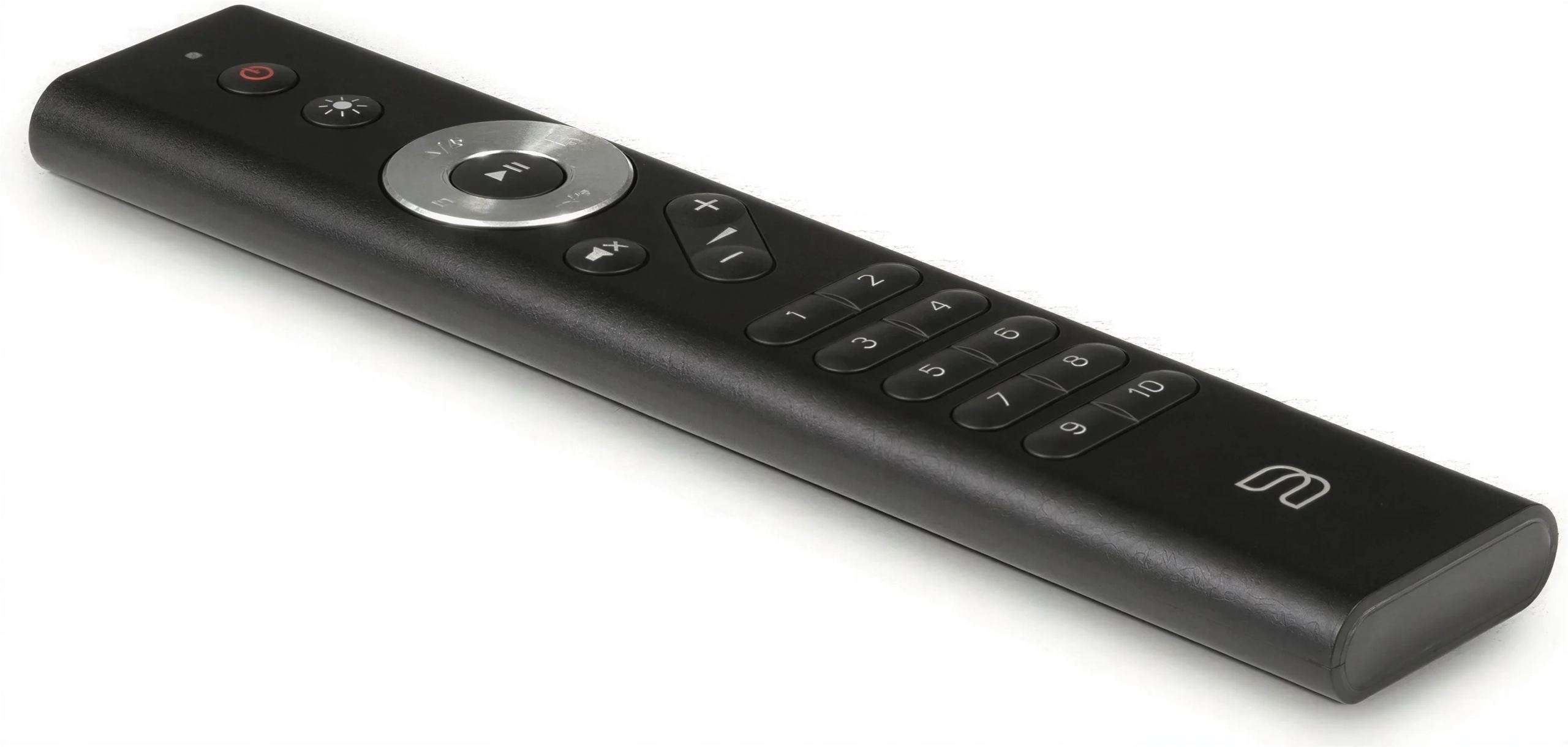
Bluesound RC1: the infrared remote control for the BluOS ecosystem
Putting down your smartphone to pick up a remote control may seem anachronistic. And yet, anyone who has tried to lower the volume of a network player just as the phone rings understands the value of a dedicated physical control. The RC1 is the first remote control offered by Bluesound, a late but welcome response to requests from users of the BluOS platform.
Direct access to everyday functions
The RC1 brings together the controls you use ten times a day: play and pause, next or previous track, volume adjustment, and mute. These buttons are positioned to fall naturally under the thumb, without looking. The central navigation pad, whose upper and lower positions remain programmable via the BluOS app, allows room for customization according to each user’s habits.
Ten numeric buttons provide instant access to presets. Internet radio stations, Spotify or Tidal playlists, albums stored on a NAS, a TV’s HDMI input: each button can be assigned to a source from the app. Owners of a Pulse Flex speaker are already familiar with the five memory buttons on top of the device; the RC1 doubles that capacity.
Ready to use, with no pairing required
Bluesound infrared codes have been integrated into BluOS firmware since version 3.6.2. Insert the batteries, point it at the device: the remote control works. No code learning, no prior programming. This simplicity assumes that the player or amplifier is up to date, which can be checked in a few seconds in the app settings.
Infrared transmission requires a clear line of sight between the remote control and the device, with a stated range of 7 meters within a 30-degree angle. A NODE player hidden inside a closed cabinet will not receive the signal. This is a constraint inherent to the technology, which Bluetooth could have avoided at the cost of pairing complexity and higher power consumption.
Eight channels to avoid interference
In a multiroom setup, several Bluesound players sometimes coexist in neighboring rooms. To prevent a press on the volume button from affecting all devices within range, the RC1 and the players can be configured to one of the eight available infrared channels (0 to 7). The change is made by holding down two buttons for ten seconds; the indicator light confirms the operation with a green flash. On the player side, the channel is changed in the BluOS app settings.
The same remote control can successively control several devices on the same channel, or you can assign one RC1 per room with distinct channels. The configuration depends on habits: some prefer a universal remote control they move around, while others prefer a dedicated device placed on each coffee table.
Compatibility within the BluOS ecosystem
The RC1 works with all Bluesound devices except Gen 1 models (NODE N100, POWERNODE N150, PULSE P300, and VAULT V500). It also controls BluOS-equipped NAD products: C 700, M10, M10 V2, CI 580, CI 580 V2, CI 720, CI 720 V2, M50, M50.2, and M66. The NAD M10 V2 even includes it in the box; the C 700, sold without a remote control, can add it as an extra.
The Bluesound professional ranges (B100S, B400S, B160S, B170S) are also supported, opening up possibilities in commercial settings where local control remains preferable to a control tablet.