United States
EN
Quote
Contact
Account
Basket
$463 (€399)
In stock

Specifications and features

AirPlayAndroidBluetoothDSDQobuzQobuz ConnectRoon ReadySpotifyTidalTidal ConnectUSBWi-Fi

Overview

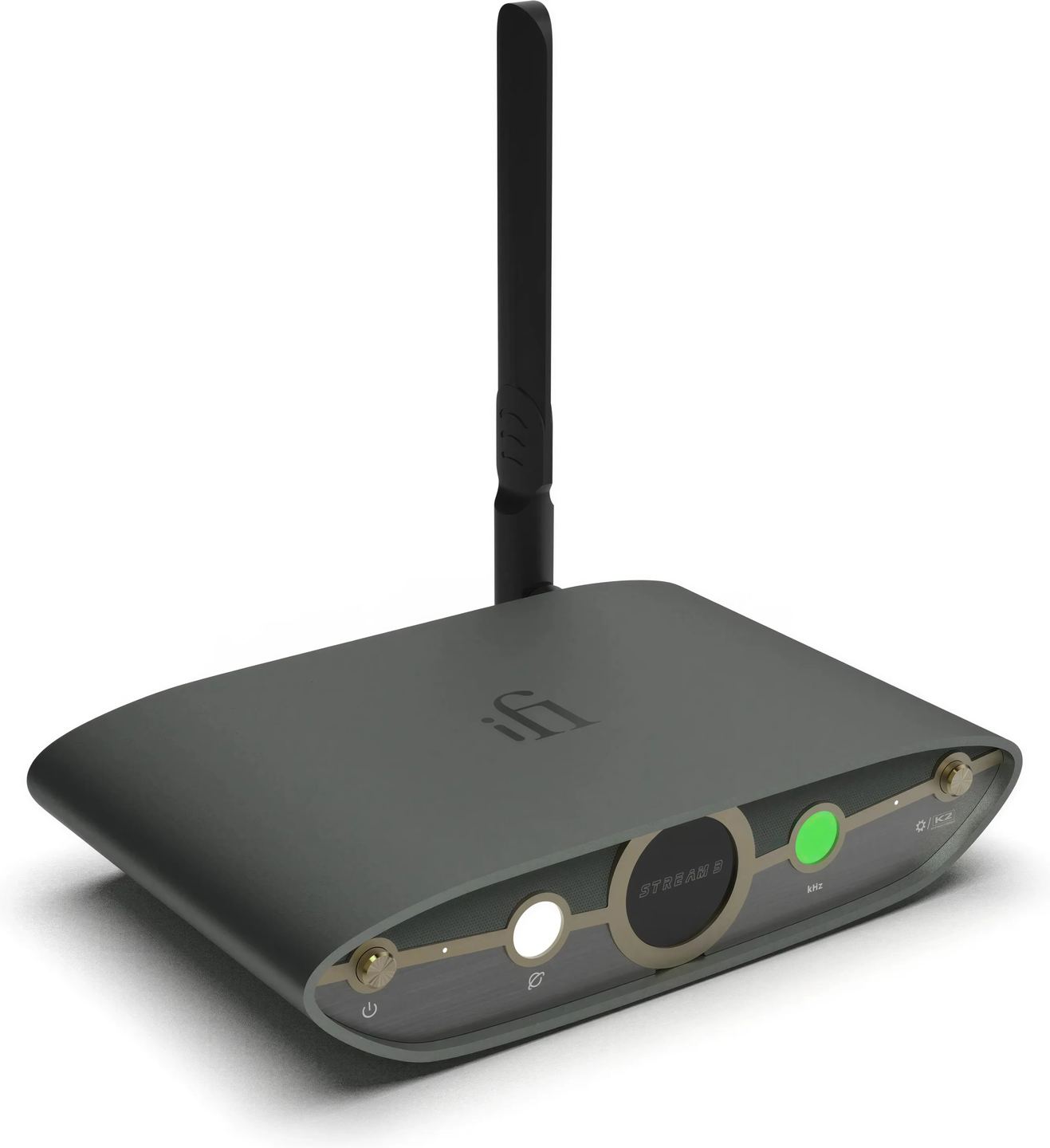
With the Zen Stream 3, iFi Audio takes its entry-level streamer straight to the third generation to align it with the rest of the Zen series. This digital transport without a built-in DAC follows the philosophy of the original model: sending the cleanest possible audio stream to an external converter. The device now incorporates JVCKENWOOD’s K2 technology, previously reserved for the brand’s DACs, and adopts a new control app that radically simplifies setup.

A pure streamer, with no onboard conversion

The Zen Stream 3 is a digital transport. It receives music from the network or a USB storage device, processes it, then sends it to an external converter via its USB or coaxial S/PDIF outputs. No digital-to-analog conversion takes place in the device.

This approach makes sense if you already own a DAC you like. Rather than buying an all‑in‑one streamer whose conversion section would be a compromise, you keep your converter and simply add the missing network capabilities. The Zen Stream 3 can feed anything from a small desktop DAC to a high‑end converter.

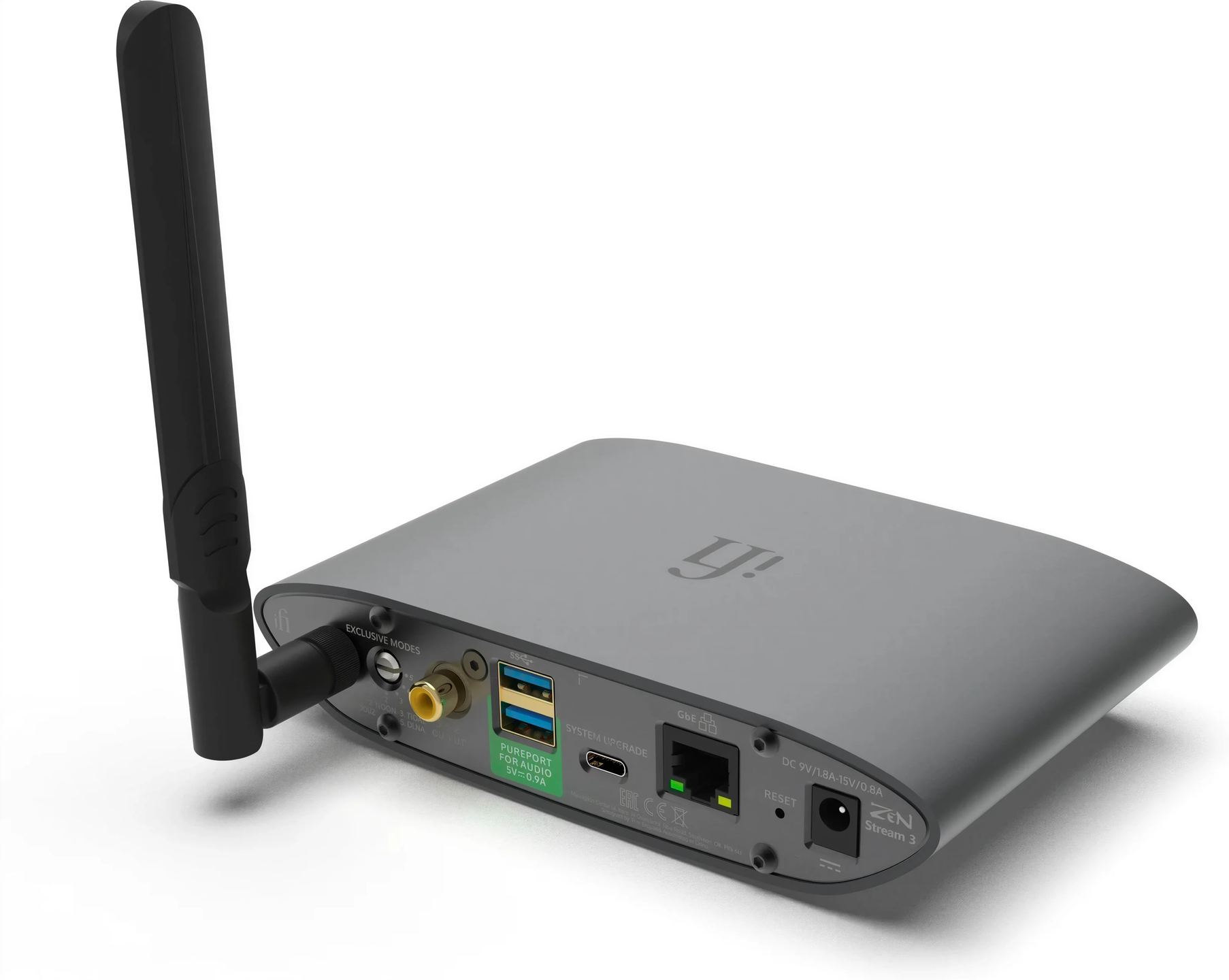
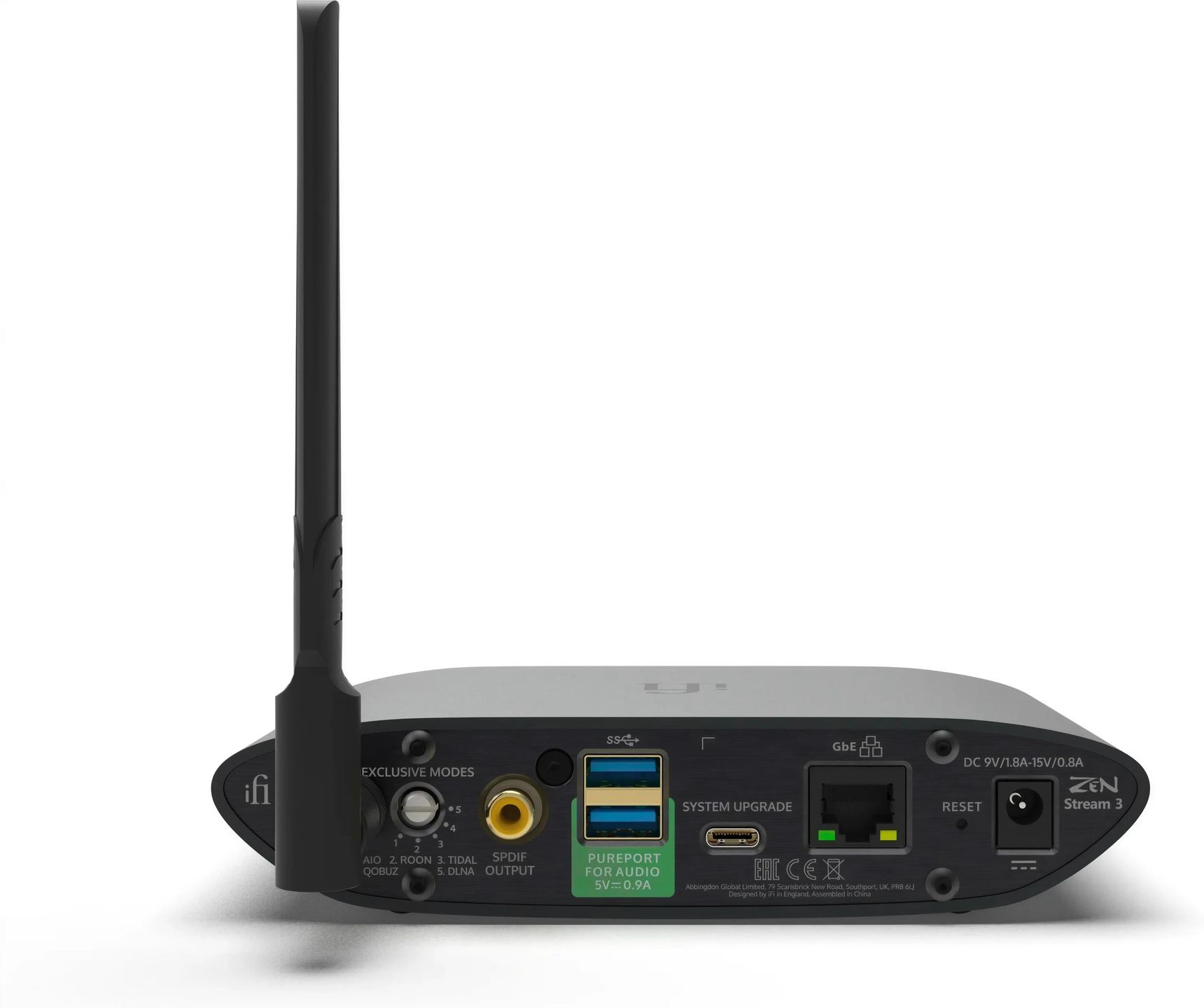
The connectivity reflects this purpose: two USB‑A ports serve as audio outputs to the DAC (with priority given to the first occupied), while a coaxial S/PDIF output offers an alternative for converters without a USB input. Supported formats go up to PCM 384 kHz / 32‑bit and DSD256 over USB, versus 192 kHz and DSD64 on the coaxial output.

Qobuz Connect joins the native services

Built‑in streaming gains a noteworthy addition: Qobuz Connect now works natively, alongside Tidal Connect, Spotify Connect and AirPlay. Playback is launched directly from the Qobuz app on your smartphone or tablet, and the high‑resolution stream is sent to the Zen Stream 3 without transcoding or degradation.

For personal libraries, the streamer plays files stored on a NAS via DLNA or on a hard drive connected to one of the rear USB ports. Roon Ready compatibility also lets you integrate it into a Roon system as an output endpoint.

K2 technology opens its doors

JVCKENWOOD has been developing a technology called K2 for over twenty years, originating from the Victor studios in Japan. Its principle: analyze waveforms in the time domain (rather than the frequency domain) to restore harmonics lost during digitization or compression. Engineers selected the optimal parameters from among thousands of billions of possible combinations, relying on comparative listening against the original master tapes.

Until now, this technology was reserved for certain iFi DACs. The Zen Stream 3 applies it upstream, before sending the signal to the converter. The processing takes place on the digital stream without changing the original sampling rate. This is the K2 variant (and not K2HD, which upsamples to 192 kHz): it aims to restore density to digital recordings without altering their native format.

An app that replaces the IP address

Configuration of the original Zen Stream was done via a web browser and the entry of an IP address, which could be temperamental. The iFi Nexis app (iOS and Android) changes the game thanks to a built‑in IoT chip: the phone detects the streamer, connects it to the home Wi‑Fi network, and provides access to the playback interface with no technical fiddling.

Once paired, Nexis acts as a remote control to browse sources, launch tracks, and adjust settings. The web interface remains available for those who prefer it, but it becomes optional.

Power supply and signal processing reworked

iFi has redesigned the power stage with polymer capacitors and ELNA Silmic II electrolytic capacitors. The former filter noise on the power rails, while the latter are renowned for their smooth treble sonic character. Combined, they aim for a more stable, less polluted power supply.

Each digital output benefits from specific processing. On USB, ANC (Active Noise Cancellation) technology filters electromagnetic interference and common‑mode noise. On S/PDIF, the iPurifier circuitry reduces jitter and cleans the signal before transmission. A femto‑precision clock (measured in femtoseconds, i.e. 10⁻¹⁵ second) keeps everything in sync to minimize timing fluctuations in the audio stream.

Exclusive modes for single‑purpose use

A small dial on the back of the device lets you select “exclusive modes.” Each one disables unused software processes to reduce what iFi calls “software jitter,” the micro‑interruptions caused by the operating system when handling multiple tasks in parallel.

The “All‑in‑One” mode activates all features. The dedicated modes (DLNA, Roon, Tidal, NAA for HQPlayer) run only what is strictly necessary. According to feedback from users of the previous model, the audible difference remains subtle, but the option exists for those who want to optimize every parameter.

Compact format and integration into the Zen range

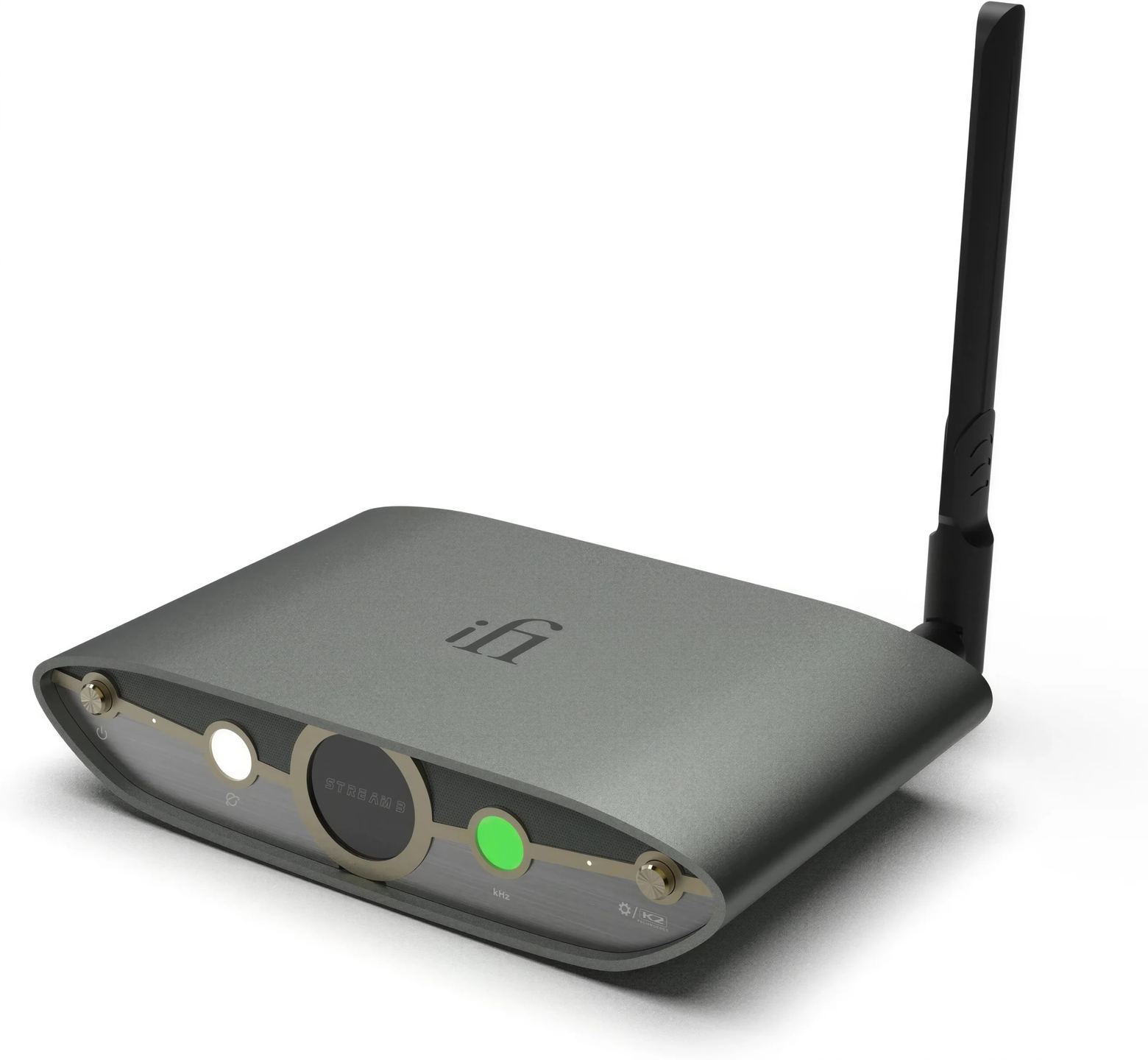
The brushed aluminum chassis reprises the characteristic curves of the Zen series: 15.8 cm wide, 10 cm deep, 3.5 cm high, and weighing 578 grams. The external Wi‑Fi antenna protrudes from the back and can be oriented to improve reception.

The included power supply (9 to 15 V DC) plugs into a dedicated socket. A USB‑C input is used exclusively for system updates. Visually, the Zen Stream 3 matches the recently launched Zen DAC 3, the two sharing the same design language.

Technical specifications

Supported audio formats

  • PCM: up to 384 kHz / 32-bit
  • DSD: up to DSD256 (11.3 MHz)
  • Native high-resolution network streaming

Network connectivity

  • Built-in Wi-Fi with external antenna
  • Ethernet RJ45 (LAN)
  • Built-in Bluetooth
  • Setup and control via dedicated mobile app

Audio connections

  • Digital inputs
    • Wi-Fi
    • Ethernet RJ45
    • 2 × USB-A (storage or USB peripherals)
  • Digital outputs
    • 2 × USB-A (audio output to external DAC)
    • 1 × coaxial S/PDIF output
  • Femto-precision clock for jitter reduction
  • Other connectors
    • USB-C (system update)
    • DC power input

Advanced audio technologies

  • K2HD technology: restoration of lost audio information and enhancement of sound depth
  • ANC technology (active noise cancellation) for noise reduction
  • Integrated iPurifier technology for a cleaner signal
  • Polymer capacitors and ELNA Silmic II for optimized power supply and more natural sound reproduction
  • Exclusive modes to disable unnecessary processes and optimize audio performance

Service compatibility

  • Qobuz Connect, TIDAL Connect, Spotify Connect, AirPlay, Roon Ready

Control

  • iFi Nexis app (iOS / Android)
  • Web interface

Power and consumption

  • Power supply: DC 9 V / 1.8 A to 15 V / 0.8 A
  • Power consumption
    • Standby: ≤ 6 W
    • Maximum: 10 W

Dimensions and weight

  • Dimensions (W × D × H): 15.8 × 10 × 3.5 cm
  • Weight: 578 g

Box contents

  • iFi Audio ZEN Stream 3
  • Wi-Fi antenna
  • Mains power supply
  • Ethernet cable
  • Setup tool
  • Documentation and warranty

General information

  • Type: high-resolution network audio streamer
  • Architecture: optimized open-source platform based on Volumio 3
  • Audio technology: JVCKENWOOD K2HD for harmonic restoration and enhanced musicality

Frequently Asked Questions

Can the Zen Stream 3 operate without an Internet connection?

Yes. The device can play files stored on a USB hard drive or a local NAS without access to the outside network. It even creates its own Wi‑Fi hotspot for control via the app, which is useful in a motorhome or on a boat.

Can the K2 processing be disabled?

K2 technology can be enabled or disabled from the Nexis app interface or via the web interface. You can therefore compare the sound with and without processing depending on the recording.

What is the difference between the USB output and the S/PDIF output?

USB carries up to PCM 384 kHz and DSD256. Coaxial S/PDIF is limited to 192 kHz and DSD64. If your DAC has a USB input, prioritize it to take advantage of the highest formats. The S/PDIF output benefits from iPurifier technology, the USB from ANC.

Is the Zen Stream 3 compatible with Roon?

Yes, the device is Roon Ready certified. It appears as an output endpoint in the Roon app and can be selected directly from the software.

Why was there no Zen Stream 2?

iFi chose to skip a generation number to harmonize the range. The Zen DAC, Zen CAN and other products in the series have also moved to generation 3. It is a matter of marketing consistency.

User reviews

Didier

I chose this device for use with Qobuz Connect.
I tried to get it working with the phone app but to no avail, hence the missing star... So I decided to proceed by first using a wired RJ45 connection (cable supplied). To access the setup, simply enter the IP address in a browser. Make sure to leave the selector switch in position 1 on the back of the device. This takes you to the menu where you can configure the WIFI name and password. It then works well over WIFI.
For Qobuz Connect use, it is simple. The right-hand indicator light is green in CD quality and turns white for a higher sampling rate. The new version of Qobuz allows you to limit the resolution if, for example, you want to stay in CD quality.
I had a crash ... I had to reset it by doing a RESET (button on the back). Since then, no problems.
I chose this device, which is neither the cheapest nor the easiest to use, because it is made with quality components and the USB output (the one I am interested in for my DAC with Amanero USB interface) is well designed. The result, even with the original power supply, is very satisfactory (I use it with a very decent DAC, a 300B amplifier and highly revealing speakers).
So at this price point, if you do not need a screen with displays and you prioritize the cleanliness of the USB output signal, it is a good choice.

Comment from August 06, 2026 — Experience from July 26, 2026

Automatically translated — Show original (French)
J'ai choisi cet appareil pour une utilisation Qobuz Connect.
J'ai essayé de le faire fonctionner avec l'application sur téléphone mais en vain d'où l'étoile en moins... Je me suis donc décidé à procéder en utilisant dans un premier temps une liaison filaire RJ45 (câble fourni). Pour entrer dans le setup, il suffit de taper l'adresse IP dans un navigateur. Attention à laisser le bouton de sélection sur la position 1 à l'arrière de l'appareil. On tombe alors sur le menu et on peut paramétrer le nom et le mdp du WIFI. Ensuite, cela fonctionne bien en WIFI.
En utilisation Qobuz Connect, c'est simple. Le voyant de droite est vert en qualité CD et passe en blanc pour une fréquence d'échantillonnage supérieure. La nouvelle version de Qobuz permet de brider la résolution si par exemple on souhaite rester en qualité CD.
J'ai eu un plantage ... J'ai dû réinitialiser en faisant un RESET (bouton à l'arrière). Depuis, pas de problème.
J'ai choisi cet appareil qui n'est pas le moins cher ni le plus simple d'utilisation parce qu'il est réalisé avec des composants de qualité et que la sortie USB (celle qui m'intéresse pour mon DAC interface USB Amanero) est soignée. Le résultat, même avec l'alimentation d'origine, est très satisfaisante (J'utilise derrière un DAC très correct, un ampli 300B et des enceintes très révélatrices).
Donc à ce niveau de prix, si vous n'avez pas besoin d'un écran avec affichages et que vous privilégiez la propreté du signal de sortie en USB, c'est un bon choix.
Lambert

Startup far too unpredictable and frequent disconnections

Comment from May 17, 2026 — Experience from April 19, 2026

Automatically translated — Show original (French)
Mise en route trop aléatoire et déconnections intempestives
  • Eco-contribution included in the sale price.
  • GTIN / EAN: 5061043051744
HomeCineSolutions
Loading