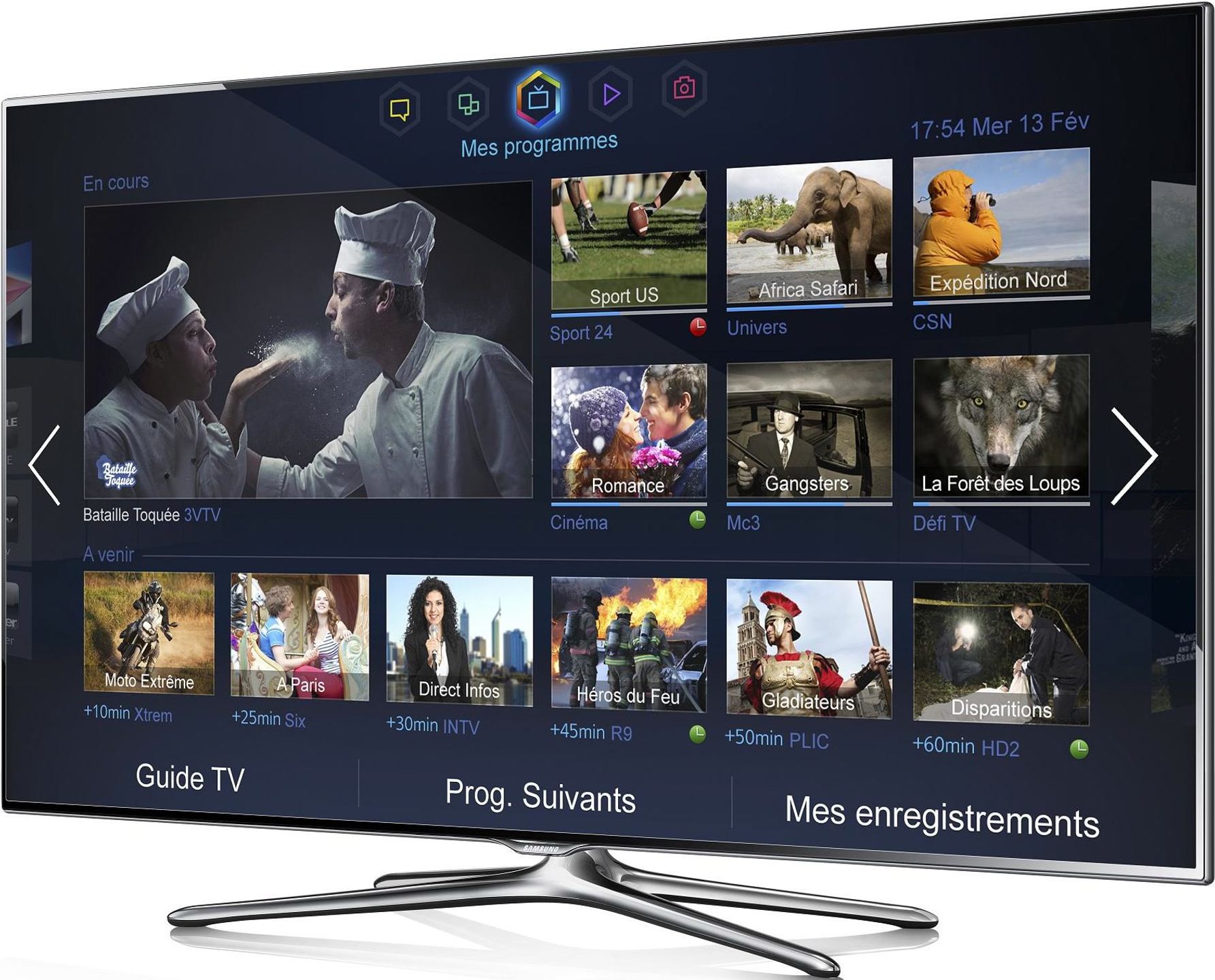
A brand new Smart TV interface, simpler and more intuitive!
Discover an instinctive and intuitive way to navigate your Smart TV. The new 2013 Smart TV interface immerses you in the heart of entertainment thanks to its 5 dynamic panels. Discovering, exploring and sharing your content has never been so simple and enjoyable.
My Programs - Home Page
The “My Programs” page simultaneously displays your current program as well as personalized recommendations for shows, according to your tastes and habits. Never miss your favorite shows again. Your Smart TV will always suggest something good to watch!
My Video Club
Find a wide selection of on-demand videos and VOD programs. Browse the catalog or choose one of the personalized recommendations.
My Apps
Access all the apps available on your Samsung Smart TV. Find your favorite apps or try one of the apps specially recommended for you.
My Content
Easily access content from all your devices: music, photos, videos. And with AllShare, share all your content wirelessly!
My Networks
Watch videos your friends have shared on Facebook or Twitter and make video calls with all your contacts.
Your Samsung TV is upgradable!
Keeping your TV up to date with the latest technology is now a reality. Samsung’s Smart Evolution completely revolutionizes your TV without having to replace it. No other brand in the world offers this revolutionary feature.
Lasting Performance
Thanks to your upgradable TV, you can enjoy the latest technologies and services from your Samsung Smart TV, but without having to change your TV.
Faster
Boost your TV’s performance so it becomes even faster: Watch on-demand videos, browse the Internet, use your apps.
Easier to Use
Your Samsung Smart TV is always simpler and easier to use.
Share your content, wirelessly and without limits.
With your Samsung TV, stay connected by sharing your content wirelessly between your different AllShare devices.
AllShare Cast
Mirror your smartphone or tablet screen on your TV! The AllShare Cast function allows you to reflect the screen of your connected devices directly on your Smart TV. Share and enjoy your content, photos, and videos on your TV screen with ease.
Smart View
With the Smart View function, share your Smart TV streams on your various connected devices. Use your smartphone or tablet as a second TV by directly displaying your TV screen on it. Stream your multimedia content in real-time and wirelessly.
SoundShare
SoundShare technology allows you to wirelessly broadcast the sound from your TV via a compatible Samsung external audio device. Connect your audio system to your TV by activating the SoundShare function and fully enjoy the sound of your favorite programs and multimedia content without the clutter of unnecessary cables.