
SVS Auto EQ Mic


Overview
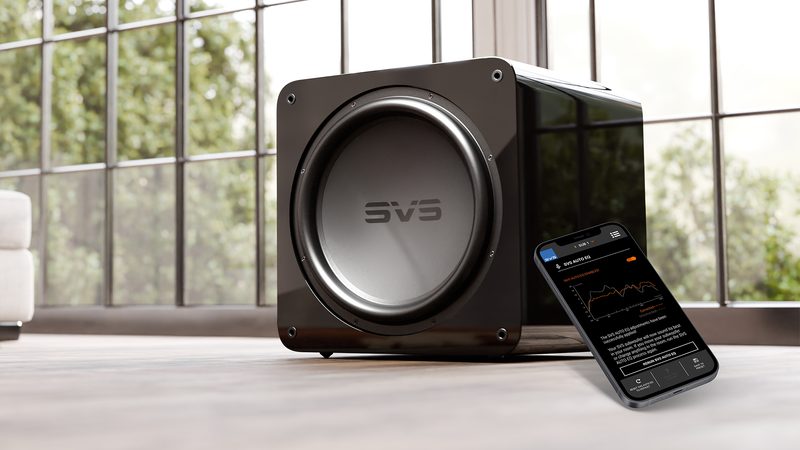
Low-frequency calibration gains precision when it relies on a dedicated microphone rather than a smartphone’s built-in one. This external accessory complements the Auto EQ function available on SVS R | Evolution subwoofers. Connected via USB-C with the included USB-C and Lightning adapters, it serves as the measuring instrument for the SVS Subwoofer Control app and tightens the room’s acoustic capture, all in just a few minutes of guided procedure.
Why use an external mic rather than the smartphone’s built-in one
A smartphone’s internal microphone handles the basic Auto EQ task and is sufficient in many cases. Still, it is not calibrated for acoustic measurement: its frequency response varies from one model to another, and the phone’s orientation during measurement affects what it captures. A dedicated mic provides a more stable reference from one session to the next, useful when you want to redo calibration at regular intervals, compare several placement configurations, or simply remove the “phone” variable from the measurement process.
USB-C connectivity and included Lightning adapters
The capsule connects via USB-C. The box contains two adapters: one USB-C and one MFi-certified Lightning adapter, covering the main mobile ports. MFi certification ensures the mic is recognized by iOS, a point that can sometimes be a stumbling block with a generic USB mic. Setup remains straightforward: plug the mic into the adapter that matches your phone or tablet, launch the SVS Subwoofer Control app, and start measurement from the connected subwoofer’s Auto EQ menu.
Compatibility with SVS R | Evolution subwoofers
The Auto EQ function has been available on three SVS subwoofer families since its release in summer 2026: 3000 R | Evolution, 5000 R | Evolution, and 17-Ultra R | Evolution (SB and PB versions). The mic can be used with any of these models, provided the subwoofer has received the corresponding firmware update and the SVS Subwoofer Control app is installed on the phone. SVS has announced the upcoming extension of Auto EQ to the 3000 Micro R | Evolution, which will join the list of supported models.
The mic’s role in the Auto EQ procedure
The SVS Subwoofer Control app guides the measurement step by step. The capsule is positioned at ear height at several successive listening points; the app captures the subwoofer’s in-room response, calculates the correction filters, and applies them in the subwoofer’s internal DSP. A before/after comparison is displayed at the end of the operation. SVS recommends running Auto EQ before any optional calibration of the audio/video amplifier (Audyssey, Dirac Live, or another equivalent system), so that the latter works from an already cleaned-up bass response. On a multi-subwoofer installation, calibration is launched separately on each unit.
Technical specifications
Overview
- External measurement microphone dedicated to SVS Auto EQ automatic calibration
- Automatic acoustic optimization of low frequencies
- More accurate measurements than with a smartphone’s built-in microphone
- Quick setup and intuitive use
Features
- Type: measurement microphone for acoustic calibration
- Function: SVS Auto EQ automatic calibration
- Use: room acoustic measurement
- Compatible application: SVS Subwoofer Control
Connectivity
- Connectivity: USB-C
- Simplified connection thanks to the included adapters
- USB-C adapter
- MFi-certified Lightning adapter
Compatibility
- Compatible SVS subwoofers
- 3000 R | Evolution Series
- 5000 R | Evolution Series
- 17-Ultra R | Evolution Series
Box contents
- SVS Auto EQ Mic microphone
- USB-C adapter
- MFi-certified Lightning adapter
- Quick start guide
Benefits
- More precise calibration of SVS R | Evolution subwoofers
- Improved consistency of low frequencies in the room
- More immersive home theater and hi-fi experience
Frequently asked questions
Can the SVS Auto EQ Mic be used with an earlier SVS subwoofer (PB-3000, SB-4000 series, etc.)?
No. Auto EQ relies on the DSP built into the R | Evolution subwoofers and on their connection to the SVS Subwoofer Control app. Previous generations do not have the hardware required to apply the correction internally, so the microphone therefore has no function with these models.
Which operating systems is the SVS Subwoofer Control app available on?
The application is available on iOS, Android, and Amazon Appstore. The Auto EQ function appears in the application menu once the R | Evolution subwoofer is paired and the firmware is up to date.
Do I need to recalibrate the AV amplifier after running Auto EQ?
Yes, this is the procedure recommended by SVS. Audyssey, Dirac Live, or equivalent room correction should be run again after Auto EQ, so that the amplifier works from the subwoofer’s new bass response. If the amplifier’s calibration had already been carried out beforehand, it is preferable to redo it in this order.
Is the microphone essential to use SVS Auto EQ?
No. The Auto EQ function can be launched using only the smartphone’s built-in microphone. The external microphone improves measurement accuracy and makes handling easier, but it is not required to access calibration.
Is the microphone supplied with a tripod or a measurement stand?
No. The box contains the microphone, the USB-C adapter, the Lightning MFi adapter, and a quick start guide. A standard camera tripod or a classic microphone stand is still useful for positioning the capsule at ear height during measurement, without having to hold it by hand.
How far from the subwoofer should the microphone be placed for the measurement?
The Auto EQ procedure is calibrated for typical listening distances in a living room, in practice approximately 1.5 to 7.5 meters between the microphone and the subwoofer. The measurement positions correspond to the actual listening points, not to a reference position close to the subwoofer.
What should I do if the app doesn't recognize the microphone?
Check that the adapter being used matches the phone’s port, that the cable is fully inserted, and that the app has permission to access the external microphone in the system settings. On iOS, MFi certification of the Lightning adapter avoids most recognition issues.
- Eco-contribution included in the sale price.
- GTIN / EAN: 850062185715