HDR: definition, how it works and differences from SDR
April 06, 2016
Contents
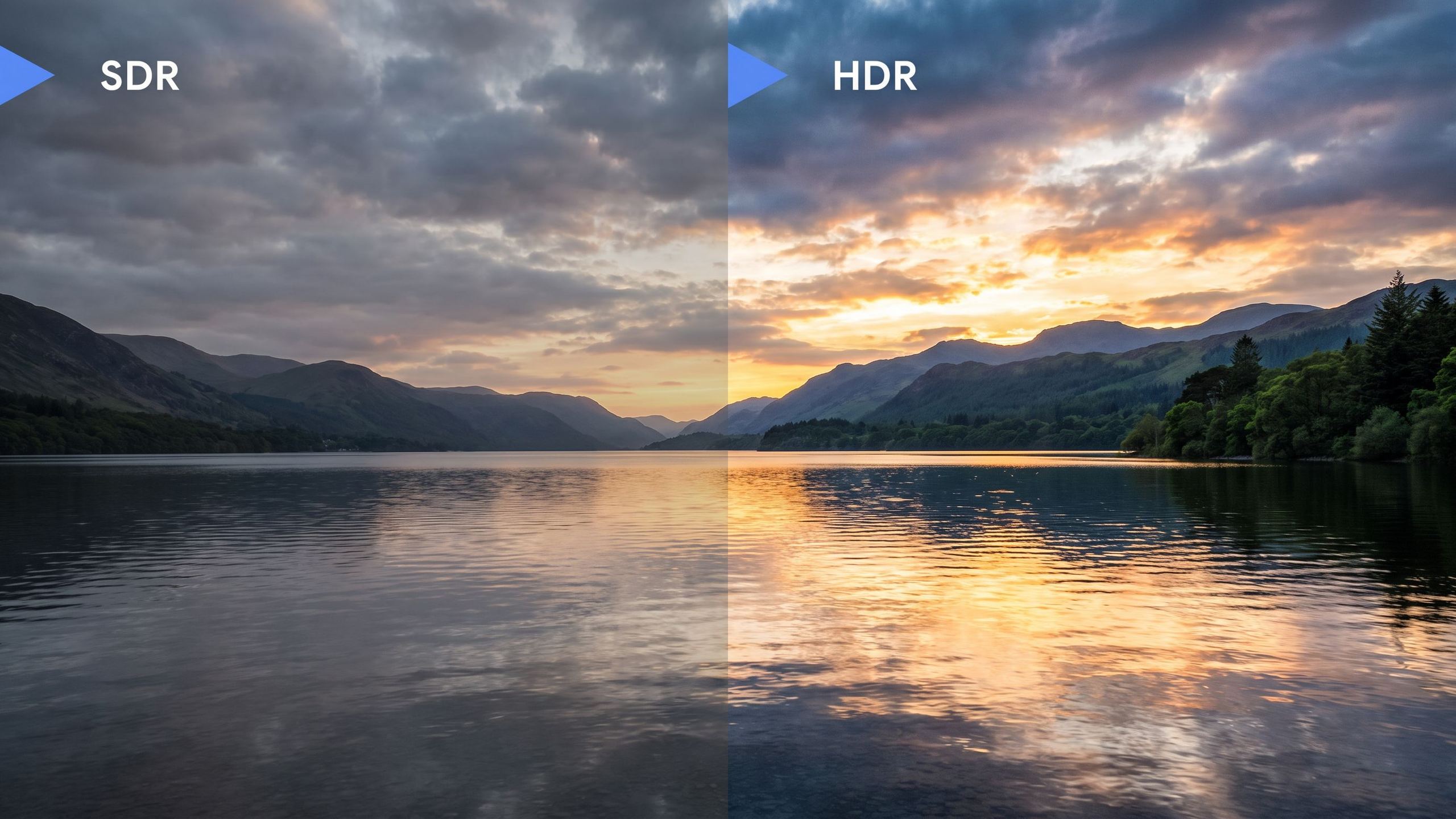
From the back of a living room, facing a window in full sunlight, the eye can make out both the blue of the sky and the texture of a sofa’s fabric in the shade. For decades, video could not bridge this gap: highlights had to be sacrificed, turning uniformly white, or shadows crushed. HDR, short for high dynamic range, widens this gap between the darkest and brightest areas that an image can carry and a screen can display. The acronym encompasses very different standards, commercial formats and performance levels, and two televisions bearing the same logo can deliver entirely different results. Understanding what lies behind it helps you read a specification sheet without being misled.
Dynamic range: a matter of brightness differences
A screen’s brightness is measured in candelas per square meter (cd/m²), a unit the industry commonly calls a “nit”. To give a sense of scale, a white sheet of paper under office lighting reflects around a hundred cd/m², a clear sky several thousand, and sunlight reflected off a car body far more still.
Conventional video, now called SDR (standard dynamic range), was standardized around studio screens calibrated to 100 cd/m². Anything exceeding this ceiling in the real scene is compressed or clipped during grading. HDR raises this ceiling: today’s masters are generally prepared on monitors rated at 1,000 or 4,000 cd/m², and the signal can theoretically describe up to 10,000 cd/m².
A common misconception is that an HDR image is simply a brighter image. That is not the goal. In a well-graded film, the white of a wall or shirt remains around 200 cd/m², barely more than in SDR. The brightness headroom is used for reflections, flames, lamps and sunlight breaking through clouds: small areas that gain brilliance and detail while the rest of the image retains natural brightness. HDR also reaches deeper into blacks, with more subtle gradations in nighttime scenes.

More colors and smooth gradients
HDR is not just about light. The standards governing it specify a much wider color space than that of high-definition television: Rec.2020 (or BT.2020), which encompasses saturated reds, greens and cyans that the older Rec.709 could not describe. No consumer television yet covers the whole of Rec.2020. In practice, films are graded in the DCI-P3 color space used in digital cinema, then placed in the Rec.2020 “container”. DCI-P3 coverage is therefore the most meaningful figure for a television, with the best models exceeding 95%.
Expanding the brightness and color range requires more intermediate values to be encoded, otherwise visible steps appear in gradients, known as banding or posterization. SDR video works in 8 bits, with 256 levels per primary color and around 16.7 million shades. HDR moves to at least 10 bits, with 1,024 levels per primary and just over a billion shades. A twilight sky or a solid studio background thus unfolds in a continuous transition. Some formats go up to 12 bits.
PQ and HLG: two curves for encoding light
A video signal does not transmit cd/m² directly: it transmits numerical values that the screen converts into light according to a transfer curve. In SDR, this curve, gamma, is relative: the maximum value corresponds to the screen’s brightest white, whatever that may be. HDR introduced two new curves, brought together in Recommendation BT.2100 from the International Telecommunication Union.
The first, called PQ (Perceptual Quantizer) and standardized as SMPTE ST 2084, stems from Dolby’s work. It is modeled on the sensitivity of the eye, which perceives differences better in low light than in very bright light, and distributes numerical values accordingly. Its defining feature is that it is absolute: each value corresponds to a precise brightness. One value means 100 cd/m², another 1,000 cd/m², regardless of the screen. This is the curve used for films, series and UHD Blu-ray discs.
The second, HLG (Hybrid Log-Gamma), was developed by the BBC and Japan’s NHK for broadcasting. It remains relative, like gamma, and follows the SDR curve almost exactly in the lower and middle portions of the image before extending the highlights. An SDR television displays an HLG image correctly, without the brilliant reflections, while an HDR television extracts the full range. For a channel broadcasting a match or concert live, this single signal, with no accompanying data to transmit, simplifies the entire production chain.
Static or dynamic metadata: the real difference between formats
The HDR10, HDR10+ and Dolby Vision logos all rely on the PQ curve. What sets them apart is mainly metadata, the information accompanying the image that tells the television how it was graded.
HDR10 is the common foundation, royalty-free and mandatory on every UHD Blu-ray disc. It carries static metadata valid for the entire program: the characteristics of the grading monitor, the brightness of the film’s brightest pixel (MaxCLL) and the average brightness of the brightest frame (MaxFALL). The television therefore receives a single set of instructions for two hours of film, whether it is a cellar scene or an explosion in the middle of a desert.
HDR10+, backed by Samsung, adds dynamic metadata, specified scene by scene or even shot by shot. Dolby Vision applies the same principle within a licensed ecosystem, with a bit depth of up to 12 bits and adjustments prepared by the colorist for different categories of screens. It is supported by the majority of televisions on the market, with the notable exception of Samsung models, which remain faithful to HDR10+.
| Format | Curve | Metadata | Bit depth | Main use |
|---|---|---|---|---|
| HDR10 | PQ | Static | 10 bits | Universal foundation, UHD Blu-ray |
| HDR10+ | PQ | Dynamic | 10 bits | Streaming, UHD Blu-ray, Samsung televisions |
| Dolby Vision | PQ | Dynamic | Up to 12 bits | Streaming, UHD Blu-ray, smartphones |
| HLG | HLG | None | 10 bits | Live broadcasting |
Dolby Vision or HDR10+ content always includes an HDR10 fallback layer: a screen that does not recognize the dynamic format still displays the image in HDR, with static metadata.
Tone mapping: adapting the image to the screen
No consumer television displays 4,000 cd/m² across its entire surface, and many peak between 500 and 1,000 cd/m². When a film graded at 4,000 cd/m² reaches a screen capable of 800, the television must recalculate the image to fit the master’s full range within its own capabilities. This process is called tone mapping.
There are two poor solutions. Clipping everything above 800 cd/m² makes details in clouds and flames disappear into flat white. Compressing the entire curve uniformly preserves highlights but darkens the whole film. With static metadata, the television knows only the program’s overall maximum and must find a single compromise. With dynamic metadata, it knows that a nighttime scene never exceeds 300 cd/m² and can display it as it is, then reserve compression for sequences that need it.
The quality of the television’s image processing therefore matters as much as its maximum brightness. Many manufacturers also apply their own dynamic mapping to HDR10 content by analyzing the image in real time. For video games, the HGIG standard takes the opposite approach: the television refrains from any processing and the console, after on-screen calibration, directly sends an image tailored to the panel’s capabilities.
Brightness, contrast and blacks: what the screen needs
Accepting an HDR signal and reproducing it are two different things. An entry-level television with uniform backlighting that peaks at 300 cd/m² can display the HDR logo: it recognizes the signal but compresses it to the point of delivering an image that is often duller than SDR.
HDR rendering depends on the screen’s ability to place very bright and very dark areas side by side. An OLED screen switches off each pixel independently, producing perfect blacks and maximum contrast for an isolated reflection at night, but its brightness drops when a large portion of the image becomes bright, as an electronic safeguard protects the panel. An LCD television with Mini LED backlighting divides its light source into hundreds or thousands of independently controlled zones and reaches much higher brightness levels, at the cost of a slight halo around bright objects on a black background when the zones are too large. The number of zones and the quality of their control matter more than the advertised peak brightness.
The projector is a special case. On a projection screen, even a bright laser model rarely delivers more than 100 to 200 cd/m², a range close to SDR. HDR relies almost entirely on tone mapping here, and the best projectors analyze each frame to continuously adapt their curve. The benefit then lies less in brilliant highlights than in expanded colors, 10-bit gradients and the handling of dark scenes.
The surroundings also play a role. PQ masters are graded for a dimly lit room, and an HDR film watched in the middle of the afternoon often looks too dark. Dolby Vision IQ and HDR10+ Adaptive functions use an ambient light sensor to adjust the rendering according to the room’s lighting.
From source to screen, the entire chain must keep up
Streaming platforms offer most of their recent catalog in HDR, usually with a 4K-tier subscription. Netflix and Disney+ long reserved their dynamic content for Dolby Vision before adding HDR10+ in 2025, and Prime Video streams both formats. UHD Blu-ray discs remain the source with the highest bitrates, always featuring HDR10 and, depending on the title, Dolby Vision or HDR10+.
Between the source and the screen, every link must pass the format through. HDR10 has been carried over HDMI since version 2.0a, with an 18 Gbit/s-certified cable for 4K at 60 frames per second and 48 Gbit/s for 4K at 120 frames per second on a console. A home theater amplifier placed in the chain must support Dolby Vision and HDR10+ passthrough on its HDMI inputs and output, otherwise it reduces the signal to HDR10 or even SDR.
An often-overlooked setting holds back many installations: most televisions limit their HDMI inputs to reduced bandwidth by default. The corresponding option (called “Enhanced HDMI”, “UHD Color” or “Enhanced HDMI signal format”, depending on the brand) must be enabled on the input being used for the player or console to send an HDR signal. Finally, the choice of picture mode matters: Cinema or Filmmaker modes respect the original grading, while Dynamic or Vivid modes distort it.
Dolby Vision 2 and HDR10+ Advanced: the 2026 generation
Both dynamic formats have just received a new version. Dolby Vision 2 was announced in September 2025, then presented at CES in January 2026 in two tiers: the standard version for mainstream televisions and Dolby Vision 2 Max for the highest-performance screens. It adds motion processing called Authentic Motion and more detailed metadata supplied by creators. The format depends on new image processors, and most existing Dolby Vision televisions will not be able to receive it through a simple update. Hisense and TCL are among the first manufacturers committed to it, on their 2026 models.
On the other side, HDR10+ Advanced brings together six functions: HDR10+ Bright, HDR10+ Genre, HDR10+ Intelligent FRC, HDR10+ Intelligent Gaming, local tone mapping and advanced color control. Bright mode makes use of screens capable of very high brightness, Genre mode identifies the type of program to apply suitable mapping curves and settings, and local tone mapping processes different areas of the same image separately rather than applying a single curve to the entire screen. The format has been available on Samsung 2026 televisions since August 2026, with Prime Video as the first streaming service.
These two versions have something in common: they give the television more decisions to make about motion, program genre or room brightness, relying on data supplied by studios. The principle of HDR, faithful to the original grading, is evolving toward more extensive adaptation to the screen and room. For now, the catalog available in these new formats remains small, and a 2024 or 2025 television compatible with Dolby Vision or HDR10+ will continue to display the vast majority of content under the best conditions for years.
A few pointers for choosing an HDR screen
Format compatibility is the first filter, to be weighed against your usage: a subscriber to services that focus mainly on Dolby Vision will not have the same needs as a collector of UHD Blu-ray discs. Next come actual brightness and local contrast quality, two things the HDR logo alone does not guarantee: an OLED television or a Mini LED model with many zones will reproduce the film’s intent, whereas an LCD with uniform backlighting will merely read the signal. The viewing room guides the rest of the choice, with a dark room bringing out the best in an OLED or projector, and a light-filled living room benefiting more from a very bright screen. The most revealing approach remains comparing several screens side by side with the same images, which a showroom visit makes possible.
Popular products





You may also like to read
 Hisense UR8S vs UR9S: which RGB Mini LED TV should you choose in 2026?Comparisons and buying guides
 Sony Bravia 6: an affordable 48- to 83-inch OLED TVHi-fi and home cinema news
 How to choose a soundbar suited to your TV and living roomComparisons and buying guides
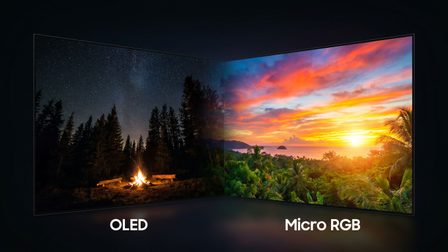 Micro RGB or OLED: what are the differences when choosing your TV in 2026?Comparisons and buying guides
 TCL TVs 2026: SQD-Mini LED, a new alternative to RGB Mini LEDHi-fi and home cinema news
 Panasonic unveils its new 2026 OLED and Mini-LED TV lineupHi-fi and home cinema news
 What size 4K TV should you choose based on your viewing distance?Tutorials and practical guides