

Remote controls with wireless transmitters and receivers
Wireless remotes with transmitters and receivers make it easy to control your home theater setup. These systems use radio frequency (RF) or infrared (IR) technology to control your projector, motorized screens, or send HDMI content wirelessly between your sources and your projector. Compatible with most brands, they offer a range of up to 50 meters. Learn more
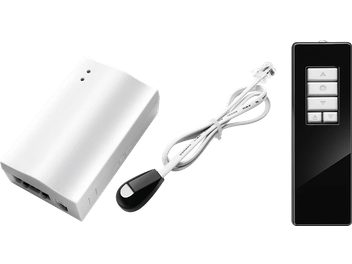
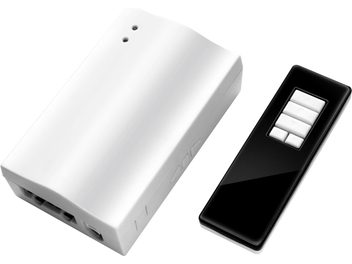
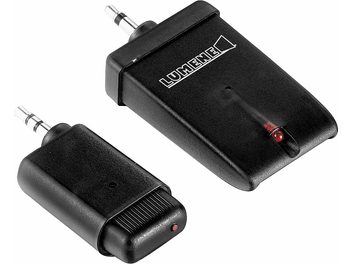
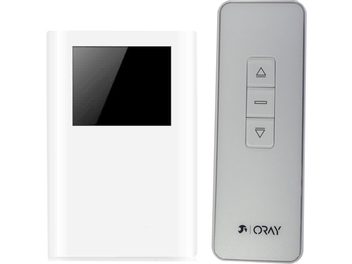
How wireless systems work for home theater
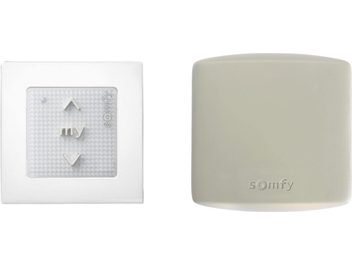
Wireless remotes consist of a transmitter and a receiver. Two technologies coexist: infrared, which requires a direct line of sight, and radio frequency (RF/UHF), which passes through walls and obstacles. The latter is particularly suitable for setups where the projector is ceiling-mounted.
Wireless HDMI transmitters broadcast high-definition video and audio signals (up to 4K) from your set-top box, Blu-ray player, or console to the projector without a cable. The connection is automatically established between the transmitter and receiver, with imperceptible latency.
Applications in your home theater setup
HDMI transmitters eliminate cables running across the living room. You can place your sources (set-top box, player, console) in a closed cabinet, and the signal is sent to the projector installed on the ceiling, with a range of 20 to 50 meters depending on the environment.
Universal RF remotes replace lost or faulty original remotes. They replicate the main functions: power on/off, source selection, volume adjustment, focus, and menu navigation.
Radio trigger systems automatically synchronize the deployment of your motorized screen with the projector’s power-on, with no wiring between the two devices.
Selection criteria for your setup
Range: 15 to 20 meters is sufficient for a standard living room. Dedicated rooms require models offering 30 to 50 meters.
Compatibility: Universal remotes adapt to major brands (Epson, BenQ, Optoma, Sony, Acer, ViewSonic, Panasonic) via simple pairing. Check that your model appears on the list before purchase.
Resolution: For a 4K projector, make sure the HDMI transmitter supports 4K at 60 Hz. Entry-level models are limited to Full HD 1080p.
Features: Some transmitters include a switch that allows 2 to 4 sources to be connected to the same transmitter, handy to avoid multiplying boxes.
Installation and commissioning
HDMI transmitters install in three steps: connect the transmitter to the video source, plug the receiver into the projector, and let them pair automatically. Power is supplied via USB or AC adapter.
Universal remotes require pairing that varies by model: automatic recognition, entering a brand code, or a key combination. The manual details the procedure for each brand.
Radio trigger systems simply plug between the wall socket and the projector’s power cable. The receiver connects to the screen’s motor via a terminal block.
Advantages of wireless transmission
The absence of cables creates a clean, discreet setup. You avoid unsightly HDMI cables running across the living room that limit your furniture layout. You can place your sources wherever you want, without distance constraints.
Recent models use the 5 GHz band to avoid interference with home Wi‑Fi and Bluetooth. Image quality remains optimal with latency under 100 milliseconds, imperceptible for movies or gaming.
Technical considerations
RF technology passes through walls, unlike infrared which requires a direct line of sight. It’s suitable for setups with a concealed receiver or a ceiling-recessed motorized screen.
For HDMI transmitters, expect €30–50 for Full HD 1080p, €80–150 for 4K at 30 Hz, and €200+ for 4K at 60 Hz with HDR. The stated range corresponds to unobstructed use: in real environments, expect 50 to 70% of that distance.
Remote controls powered by batteries can last several months of use. For HDMI transmitters, prioritize AC power for long distances.