
Universal Remote Controls
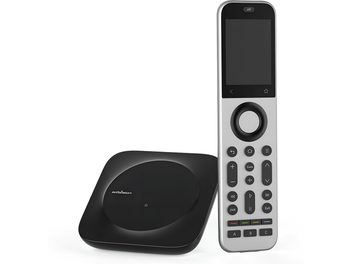
A universal remote replaces multiple handsets with a single controller, capable of operating the television, soundbar, Blu-ray player, operator set-top box, or audio-video receiver. Depending on the model, it can manage from three to more than sixty devices, via infrared, radio frequency, Bluetooth, or through a Wi-Fi hub. The right choice depends on your setup and the programming method. Learn more
What a universal remote is for
A living room equipped with a home theater system quickly accumulates handsets: one for the TV, one for the audio-video receiver, one for the player, one for the set-top box, sometimes one for the video projector. A universal remote brings these functions together on a single device. You no longer have to find the right handset before each use, or replace a broken or lost original remote with a reference that has become impossible to find.
The principle is simple: the remote reproduces the signals sent by your original handsets. The question is how it learns these signals, and which technologies it uses to communicate.
Infrared, radio frequency, and Bluetooth
Most living room devices respond to infrared (IR). This standard is reliable and inexpensive, but it requires a direct line of sight between the remote and the device: a closed cabinet blocks the signal.
Radio frequency (RF) and Bluetooth pass through furniture and walls. An RF remote, or a hub-based model, places a transmitter near your devices and relays commands without requiring you to point. This is the solution when your equipment is stored in a closed cabinet or behind a partition.
Be careful about one often overlooked point: some recent equipment, such as streaming devices or several soundbars, communicates only via Bluetooth or Wi-Fi. A standard infrared remote will not be able to operate them. Check the protocols used in your setup before buying.
Programming methods
Three approaches coexist. Entering a code is the traditional method: each device brand corresponds to a three- to five-digit code, listed in the manual or in an online database, which you enter on the remote. This method is quick when the code works on the first try.
Automatic detection cycles through the codes until the device responds, without you needing to know the exact reference. Handy for older equipment whose documentation has disappeared.
Infrared learning directly copies the signal from your original remote: you place the two handsets face to face and transfer each command, button by button. This method handles almost any infrared device, including functions absent from code databases.
Hub-based models are configured through a smartphone app, which pulls codes from a database updated online. You enter the brand and model of each device, and the app does the rest.
Macros and activity commands
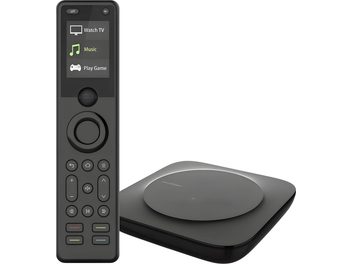
Advanced remotes store command sequences under a single button, called activities or macros. A “Watch a movie” button can turn on the video projector, lower the screen, switch the receiver to the Blu-ray input, and start playback, in the right order.
This feature requires a bit of setup at first, especially for complex sequences. The benefit is then felt every day: a single press replaces a dozen actions.